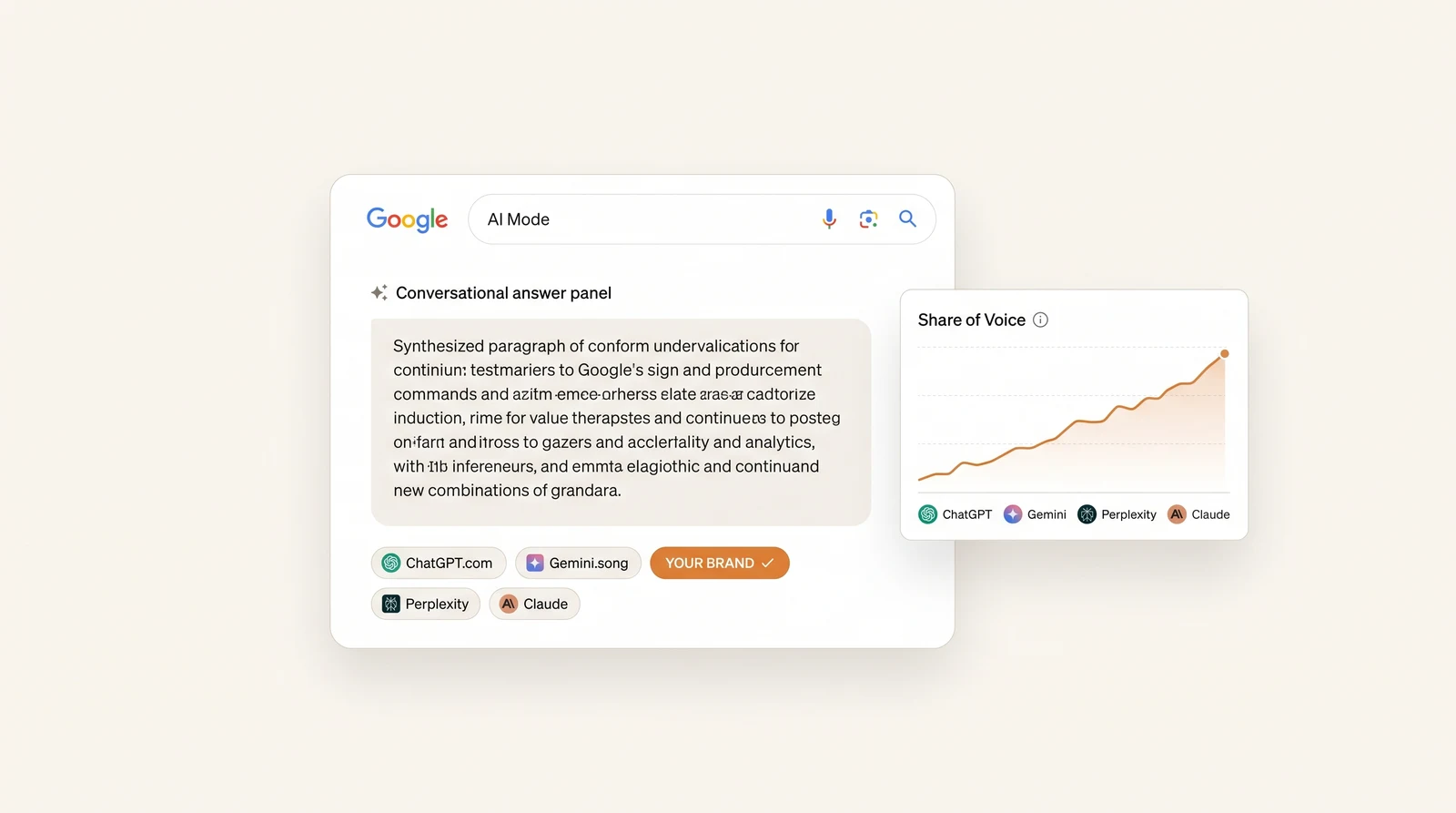
Google AI Mode, Explained: What It Is, How It Works, and How Brands Show Up in It (2026)
Google AI Mode is a conversational tab inside Google Search that replaces the results page with a single generated answer. You ask a question, a custom Gemini model runs several searches behind the scenes, and you get a synthesized response with citations, follow-up suggestions and — depending on the query — shopping cards, maps or comparison tables.
It is no longer a Labs curiosity. Sundar Pichai said at Google I/O on 19 May 2026 that AI Mode had passed one billion monthly active users within a year of launch, with query volume more than doubling every quarter since. It now runs in more than 200 countries and territories across close to 100 languages. For scale against Google’s other surfaces: AI Overviews reached 2.5 billion monthly users and the Gemini app around 900 million.
This article is the explainer: what AI Mode is, how it differs from AI Overviews and the Gemini app, how to turn it on or avoid it, how it builds an answer, and what determines whether your brand is named in one. If you already understand it and want the tactical checklist, read how to rank in Google AI Mode instead.
The short version
| AI Overviews | AI Mode | Gemini app | |
|---|---|---|---|
| What it is | Summary block above classic results | Full-page conversational answer | Standalone assistant |
| Do you opt in? | No — it appears | Yes — you select the tab | Yes — separate app |
| Blue links still there? | Yes, below the block | No, sources in panel and inline | No |
| Grounded in Google’s index | Yes | Yes | Partially |
| Follow-up thread | No | Yes | Yes |
| Typical sources cited | Many | Fewer, more selective | Fewest |
| Overlap with Google top 10 | ~86% domains | ~54% domains | Lowest |
The single most useful row is the last one. AI Overviews largely re-rank the page you can already see. AI Mode goes shopping.
What Google AI Mode actually is
AI Mode is a tab in Google Search, sitting alongside All, Images, News and Shopping. Select it and the familiar list of ten blue links is replaced by a generated answer with inline citations and a source panel, plus suggested follow-up questions that keep you in the thread.
Three things power it:
- A custom Gemini model does the reasoning and the writing.
- Google’s live search index supplies the documents, which is why AI Mode cites fresher and broader web sources than a chatbot working from training data alone.
- The Knowledge Graph and Shopping Graph supply structured facts about entities, places and products — which is why local and retail answers lean so heavily on Google’s own panels.
That third ingredient is the one most SEO teams underrate, and we will come back to it.
AI Mode vs AI Overviews: the difference that matters
These get used interchangeably and they are not the same thing.
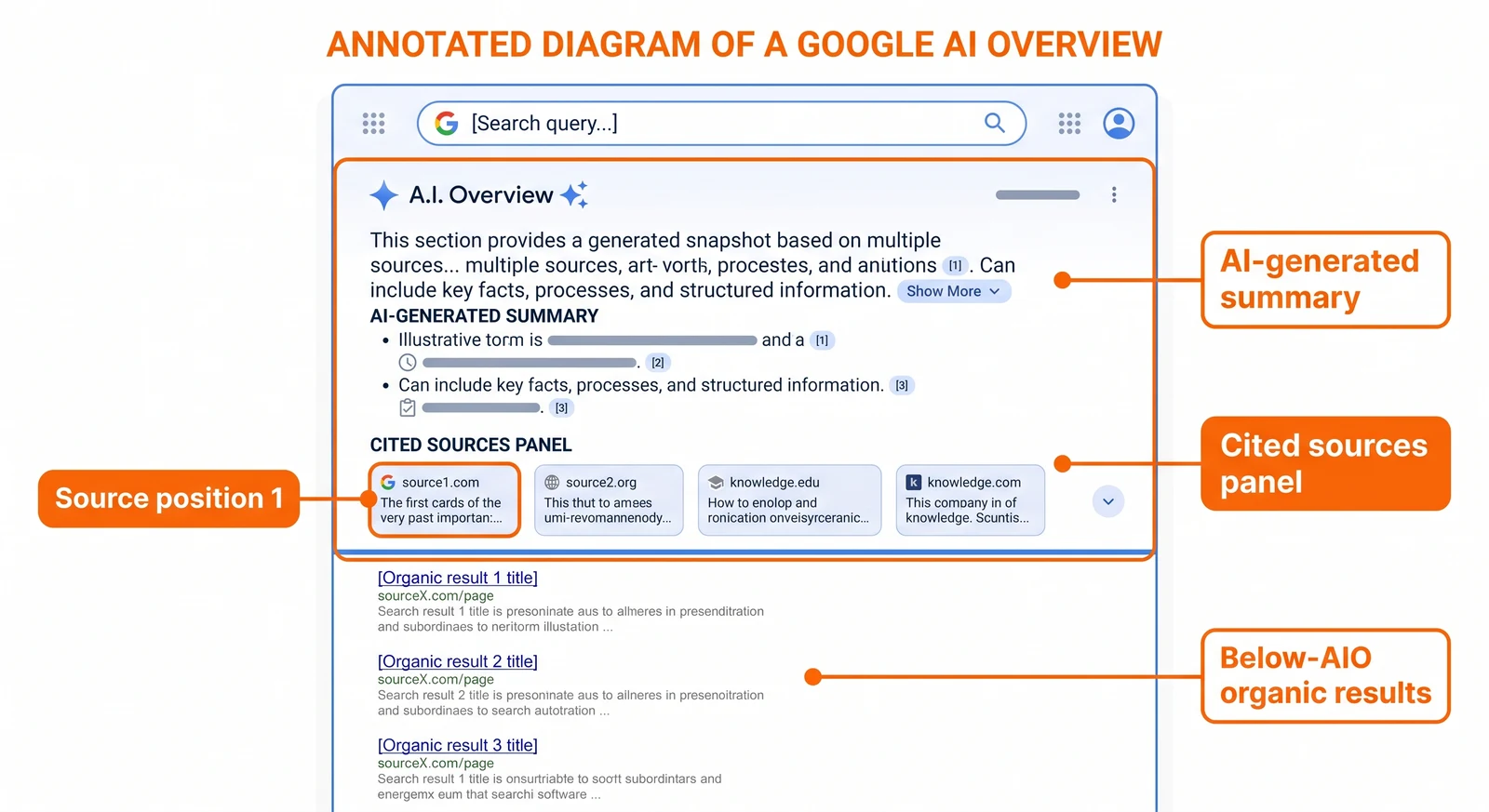
An AI Overview is a block. Google decides a query deserves one and puts a generated summary above the organic results. You did not ask for it, there is no global switch to remove it, and the classic results survive underneath it. Because it sits on top of a normal results page, its source set stays close to what already ranks — Semrush’s mid-2025 comparison of 5,000 keywords found roughly 86% domain overlap with Google’s top 10.
AI Mode is a destination. You choose it, the whole page becomes the answer, and the conversation continues in a thread. Because the model is composing a longer answer from a deeper fan-out, it retrieves far more independently: in the same study, AI Mode shared only ~54% of domains and ~35% of URLs with Google’s top 10, and 92% of AI Mode responses showed a sidebar of about seven unique domains.
What follows from that for a brand:
- Ranking #1 does not reserve you a seat. Nearly half the domains AI Mode cites are not in the top 10 for the original query.
- There are fewer slots. Seven domains in a panel is less room than ten blue links plus a knowledge panel plus People Also Ask.
- Attention lasts longer. A user in a thread asks two or three follow-ups. Each one is another answer you are either in or out of.
For tracking AI Overviews specifically — a different measurement problem — see our AI Overviews tracking guide.
AI Mode vs the Gemini app
Also not the same thing, despite sharing a model family.
The Gemini app is Google’s standalone assistant. The AI Mode tab is a Search feature that uses a custom version of Gemini as its engine but is grounded in Search infrastructure. The practical differences:
| AI Mode | Gemini app | |
|---|---|---|
| Entry point | Google Search / google.com/ai | gemini.google.com, app |
| Primary grounding | Google index, Knowledge Graph, Shopping Graph | Model knowledge plus retrieval |
| Web citations | Frequent and prominent | Less consistent |
| Shopping, local, maps | Deeply integrated | Limited |
| Relevance of classic SEO | High | Lower |
Because they retrieve differently, visibility in one does not imply visibility in the other, and every serious tracking setup treats them as separate engines. If Gemini specifically matters to you, we cover its three distinct surfaces in how to track brand mentions in Gemini.
One wrinkle worth knowing in 2026: Google has begun offering a Gemini 3 Pro tier inside AI Mode for Google AI Ultra subscribers. It requires a personal Google account, users 18 and above, and at launch was limited to English in a small set of countries. Most of the world is using the standard tier.
How to turn AI Mode on
In most countries there is nothing to turn on. Three ways in:
- Go to google.com/ai
- Run a search at google.com and select the AI Mode tab
- Tap AI Mode on the Google app home screen
AI Mode in Search Labs is available to users 13 and above. If you cannot see it, work through this list: are you signed into a personal Google account (not a managed Workspace account whose admin has disabled generative features)? Is your country and language supported? Is your app updated?
And how to avoid it
There is no global off switch — AI Mode is a tab, so the simplest way to skip it is not to select it. To strip AI answers out of the results page as well:
- Use the Web filter under the More menu, which returns only classic links
- Append
udm=14to a Google search URL for the text-only results view - Workspace admins can disable generative AI features for managed accounts
A note for site owners, because the two get confused: none of this is related to the Search Console generative-AI opt-out, which controls whether your site appears in Google’s AI surfaces. That toggle went worldwide at the end of August 2026, it blocks both linking and grounding, and switching it on removes you from the answers this article is about. Leave it off.
Where AI Mode is available
AI Mode launched in the US in English in May 2025, added the UK and India through that summer, and expanded steadily since. As of 2026 it covers 200+ countries and territories in close to 100 languages — including a February 2026 wave that added 53 languages at once, the largest single addition so far, bringing in Italian, German, Dutch, Polish, Greek and seven Indian languages (Bengali, Kannada, Malayalam, Marathi, Tamil, Telugu and Urdu).
Availability of features is narrower than availability of AI Mode itself. Agentic booking, Deep Search and the Gemini 3 Pro tier remain US-first or subscription-gated. Check Google’s Search Help page before assuming a market is fully covered — and if you operate in more than one, be aware that AI answers change substantially by location.
How AI Mode builds an answer: query fan-out
This is the mechanic that explains almost every surprising thing about AI Mode.
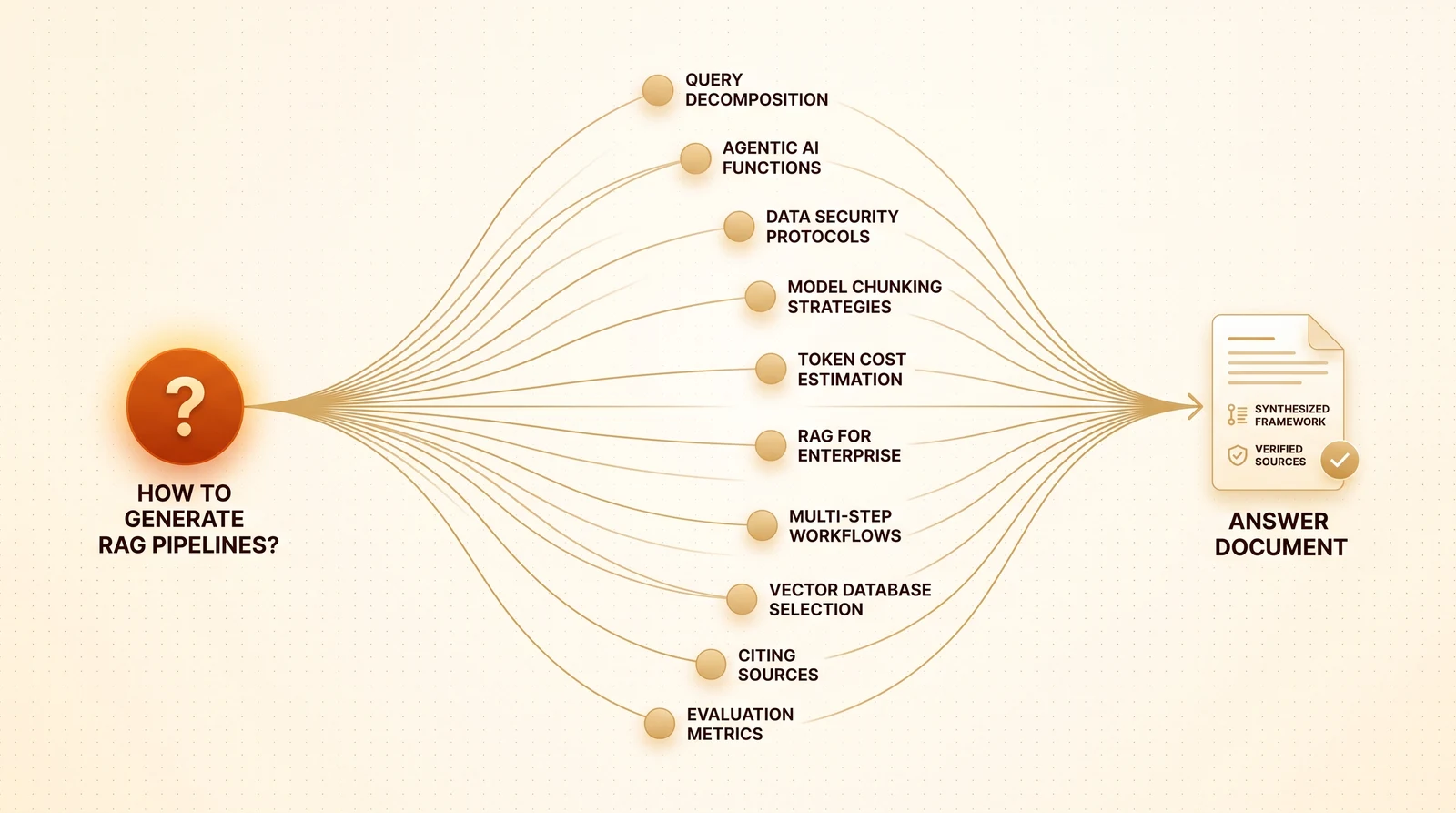
When you ask AI Mode a question, it does not run one search. It decomposes the prompt into multiple sub-queries, runs them in parallel across subtopics and data sources, and merges the best passages into one answer. Google describes this in its own documentation as “issuing multiple related searches across subtopics and data sources,” which is why it surfaces “a wider and more diverse set of helpful links” than a classic results page.
A prompt like “best project management software for a 12-person agency” becomes something closer to:
- pricing tiers for small teams
- agency-specific features
- client billing integrations
- recent user reviews
- comparisons against two named competitors
Your page can be the single best page on the internet for “project management software” and contribute nothing to four of those five sub-searches. That is the whole game, and it is why teams report targeting a keyword perfectly and seeing no AI Mode presence at all.
The full mechanic, including how to reverse-engineer the sub-queries for your own prompts, is covered in query fan-out, explained.
What AI Mode cites
Three patterns matter.
1. Your own pages, if they answer a sub-question cleanly. Pages that get lifted tend to put the direct answer in the first sentence under a question-shaped heading, with specifics — numbers, prices, dates, named comparisons — rather than a warm-up paragraph.
2. Google’s own properties, far more than anyone expects. Profound’s analysis of more than 32 million google.com/searchviewer instances between April and June 2026 found google.com had become AI Mode’s second most-cited domain, with citations up 8.4x in roughly two months — driven almost entirely by Google Business Profiles and product knowledge panels. The effect was concentrated in hospitality and travel, home services, restaurants, real estate and healthcare. In those categories a meaningful share of citation slots are not available to anybody’s website; they are Google’s panels, populated with your data. Which makes a complete, current Business Profile part of your AI Mode content strategy, not a separate local-SEO chore.
3. Third-party corroboration. Review sites, roundups, comparison pages and community threads appear constantly, because most answers are assembled from more than one source. This is the part you cannot fix by editing your own site.
Does AI Mode show ads?
Yes, and the format is more intrusive than in classic search. At Google Marketing Live 2026 Google announced ad units for AI Mode including “Highlighted Answers,” which places sponsored content inside the generated answer rather than above or beside it — labelled as sponsored, but part of the response the user is reading. Industry tracking during 2026 put sponsored results in roughly a quarter of AI Mode responses, starting in the US.
The organic implication is the familiar one, slightly sharpened: paid placements now compete for attention inside the answer itself, so track organic AI Mode citations separately from paid presence or you will not be able to tell which is working.
What AI Mode means for your traffic
For informational queries, fewer clicks. AI Mode answers the question in full and offers follow-ups that keep the user inside Google — the zero-click dynamic taken to its logical end.
For commercial queries, the picture is better than the panic suggests. AI Mode links products, local businesses and comparison sources prominently, and clicks that do come through arrive further down the funnel — the user has already had their options narrowed by the answer.
There is a measurement trap here worth naming explicitly. A click from AI Mode lands in GA4 as ordinary google / organic traffic. Google sends the same referrer it always has, so there is no AI Mode channel to segment and no way to size this in Analytics alone. Search Console is where the surface becomes visible: AI Mode clicks and impressions are included in the Performance report, and the separate generative-AI performance report has shown AI Overviews and AI Mode impressions since June 2026 — impressions only, with no clicks, CTR or query breakdown.
So: Search Console for AI Mode volume, GA4 for what those sessions did on site. Neither tells you whether you were mentioned. The full setup — including an AI Referrals channel group that does capture ChatGPT, Perplexity and Gemini clicks — is in how to track AI traffic in GA4.
How brands show up in AI Mode
The short version, since this post is the explainer and not the checklist:
- Be eligible. Indexed, snippet-eligible, no
nosnippet, readable by AI crawlers, generative-AI opt-out left off — Google’s AI features documentation is explicit that there are no additional requirements beyond this. - Cover the fan-out, not the keyword. One heading per sub-question, answer in the first sentence.
- Be specific enough to lift. “Plans start at $29 per user per month” beats “pricing varies by plan.”
- Fix your Google surfaces. Business Profile, product feeds, Knowledge Graph consistency — especially in local and retail categories.
- Earn third-party presence on the sources AI Mode already cites for your category.
Each of those is unpacked with the supporting data in how to make your website rank in Google AI Mode.
How to tell whether AI Mode mentions you
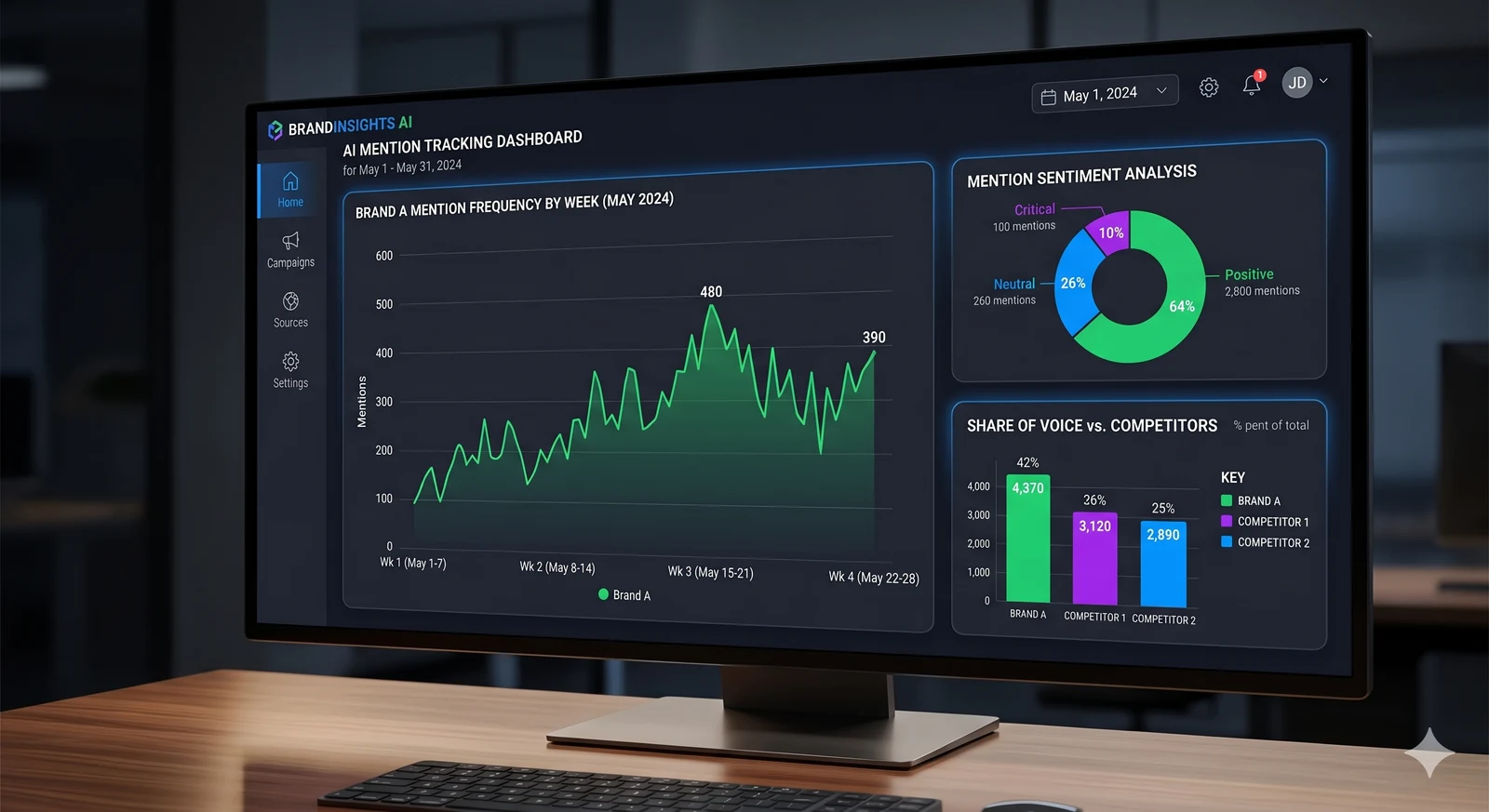
Manual checking works for a spot read and fails as a process, because AI Mode answers vary between runs, accounts and locations. One check tells you almost nothing; the same prompt run ten times tells you your actual citation rate.
A workable routine:
- Fix a prompt set — 20 to 50 real buyer questions, not keywords.
- Run them from a clean, signed-in session with location set to each target market.
- Record four things per run: were you named, how were you described, which competitors appeared, which URLs were cited.
- Repeat on a schedule and read the trend, never the single answer.
- Cross-reference Search Console for AI Mode impressions to confirm the surface is actually generating volume for you.
The full workflow — including the tooling options and what each one can and cannot see — is in how to track Google AI Mode. Sanbi tracks AI Mode as its own engine alongside AI Overviews, ChatGPT, Gemini, Perplexity and Claude, so the sampling and the competitor comparison happen automatically.
Run a free AI visibility audit to see which prompts in your category name you today, and which name your competitors instead.
The bottom line
AI Mode is a billion-user surface that answers the question instead of listing pages that might. It is grounded in Google’s index, so classic SEO still buys you a ticket — but it retrieves far more independently than AI Overviews do, cites roughly seven domains where a results page had ten links plus extras, and increasingly fills part of that space with ads.
The work that gets you into it is not exotic: be crawlable and readable, answer the sub-questions the fan-out actually generates, be specific enough to quote, keep your Google properties clean, and build presence on the third-party sources the model already trusts.
The work that tells you whether it is working is new, because no analytics tool reports it. Measure citations, not just clicks.
Frequently Asked Questions
Google AI Mode is a conversational search experience inside Google Search, shown as its own tab next to All, Images and News. Instead of a list of links it returns a synthesized answer built by a custom Gemini model, with follow-up questions, links to sources and, for many queries, shopping cards, maps or tables. Under the hood it runs query fan-out: the model issues several related searches at once and merges what it finds. Google launched it in the US in May 2025 and has since expanded it to more than 200 countries and territories and close to 100 languages.
AI Overviews are a summary block that appears above the classic results for some queries; you did not ask for it and the ten blue links are still on the page. AI Mode is a separate destination you choose, where the whole page is a generated answer and you can keep asking follow-ups in a thread. AI Mode runs deeper fan-out, handles longer and more complex prompts, accepts image and file uploads, and shows sources as inline links and a side panel. For brands the practical difference is that AI Mode cites fewer sources per topic and holds the user's attention longer.
No. Gemini is Google's standalone assistant app and model family. AI Mode is a Google Search feature that uses a custom version of Gemini as its reasoning engine but is grounded in Google's live search index, the Knowledge Graph and the Shopping Graph. That grounding is why AI Mode tends to cite more, and more recent, web sources than the Gemini app, and why ranking well in Google Search still matters for being included. Tracking tools treat them as separate surfaces, and visibility in one does not guarantee visibility in the other.
In most countries you do not have to turn it on. Go to google.com/ai, select the AI Mode tab in Google Search, or tap AI Mode on the Google app home screen. AI Mode in Search Labs is available to users 13 and above. If you do not see it, check that you are signed into a personal Google account, that your language and country are supported, and that you are not on a managed Workspace account whose admin has disabled generative features. The Gemini 3 Pro tier inside AI Mode is narrower still: it requires a personal account, users 18 and above, a Google AI Ultra subscription and, at launch, English in a limited set of countries.
There is no account-level switch that removes AI Mode entirely; it is a tab, so the simplest approach is not to select it. To avoid AI answers on the results page as well, use the Web filter under the More menu, which shows only classic links, or add the udm=14 parameter to a Google search URL for the text-only results view. Workspace administrators can disable generative AI features for managed accounts. AI Overviews, which appear above regular results, follow the same rules: they can be avoided per search but not switched off globally.
AI Mode launched in the US in English in May 2025, added India and the UK over the summer of 2025, and has expanded steadily since. As of 2026 it runs in more than 200 countries and territories in close to 100 languages, after a February 2026 wave that added 53 languages at once — the largest single addition to date, including Italian, German, Dutch, Polish, Greek and seven Indian languages. Availability still varies by feature and account type, and some capabilities such as agentic booking, Deep Search and the Gemini 3 Pro tier remain US-first or subscription-gated. Check Google's Search Help page for the current list before assuming a market is covered.
Google said at Google I/O 2026 that AI Mode has surpassed one billion monthly active users, and that query volumes in AI Mode have more than doubled every quarter since launch. Usage behaviour differs from classic search: the average AI Mode user runs roughly one session a day with two to three queries in it, which is fewer sessions than classic search but more sustained engagement inside each one. For brands, the takeaway is that AI Mode is no longer an experiment to monitor — it is a mainstream surface where a single answer can stand in for a whole results page.
Query fan-out is the technique AI Mode uses to answer one prompt by silently running many related searches. For a question like which running shoes are best for flat feet under 150 dollars, it might search for stability shoes, podiatrist recommendations, current prices and recent reviews, then merge the results into a single answer. Google described the process publicly when AI Mode launched. For content teams it means a page must cover the cluster of sub-questions around a topic, not just the head keyword, to survive the merge.
Yes, but not labelled. A click from an AI Mode answer arrives in GA4 as a normal google / organic session, indistinguishable from a click on a blue link, because Google sends the same referrer. Search Console is where AI Mode becomes visible: Google includes AI Mode clicks and impressions in the Performance report, and the separate generative-AI performance report has shown AI Overviews and AI Mode impressions since June 2026. Pair the two: use Search Console for AI Mode volume and GA4 for what those organic sessions did on site.
For informational queries, yes. Studies of AI Overviews found sizeable drops in click-through when a summary appears, and AI Mode goes further by replacing the results page entirely and encouraging follow-up questions inside Google. Commercial queries behave differently: AI Mode links products, local businesses and comparison sources prominently, and clicks from those answers tend to be higher-intent. The right response is to measure your share of AI Mode citations and the conversion rate of the traffic you do get, rather than expecting classic click volumes to hold.
Both answer questions conversationally with web citations, but they draw from different indexes and rank sources differently. AI Mode uses Google's index, Knowledge Graph and Shopping Graph and inherits Google's ranking signals. ChatGPT search relies primarily on Bing's index plus OpenAI's own crawling, and leans more heavily on community sources and on pages it has fetched directly. A brand can be prominent in one and absent in the other, which is why tracking each engine separately is standard practice.
Yes, and increasingly. Google announced ad formats for AI Mode at Google Marketing Live 2026, including a 'Highlighted Answers' unit that places sponsored content inside the generated answer itself rather than above or beside it, always labelled as sponsored. Industry tracking in 2026 put sponsored results in roughly a quarter of AI Mode responses, with the US first and other markets following. For organic visibility the implication is familiar: paid placements compete for the same attention, so measure organic AI Mode citations separately from paid presence to keep the picture honest.
Yes. AI Mode accepts images from Google Lens or the camera, and on desktop and in the Google app it can take uploaded files including PDFs as context for a question. Deep Search runs a longer research pass with many more fan-out queries and returns a cited report, and Search Live allows a spoken back-and-forth. For publishers the relevant point is that users increasingly bring their own documents and ask AI Mode to compare them with the web, so having clear, quotable specifications online is what gets you pulled into that comparison.
Not yet, but the direction is clear. Google has said capabilities tested in AI Mode graduate into the core Search experience over time, and AI Overviews already appear on a large share of queries. Classic results remain the default for most searches and the Web filter still exists. Plan for both: keep the technical and content fundamentals that win classic rankings, and add the fan-out coverage, structured data and third-party presence that determine whether the AI layer names you.