AI Crawler Optimization: robots.txt, Cloudflare and llms.txt Done Right (2026)
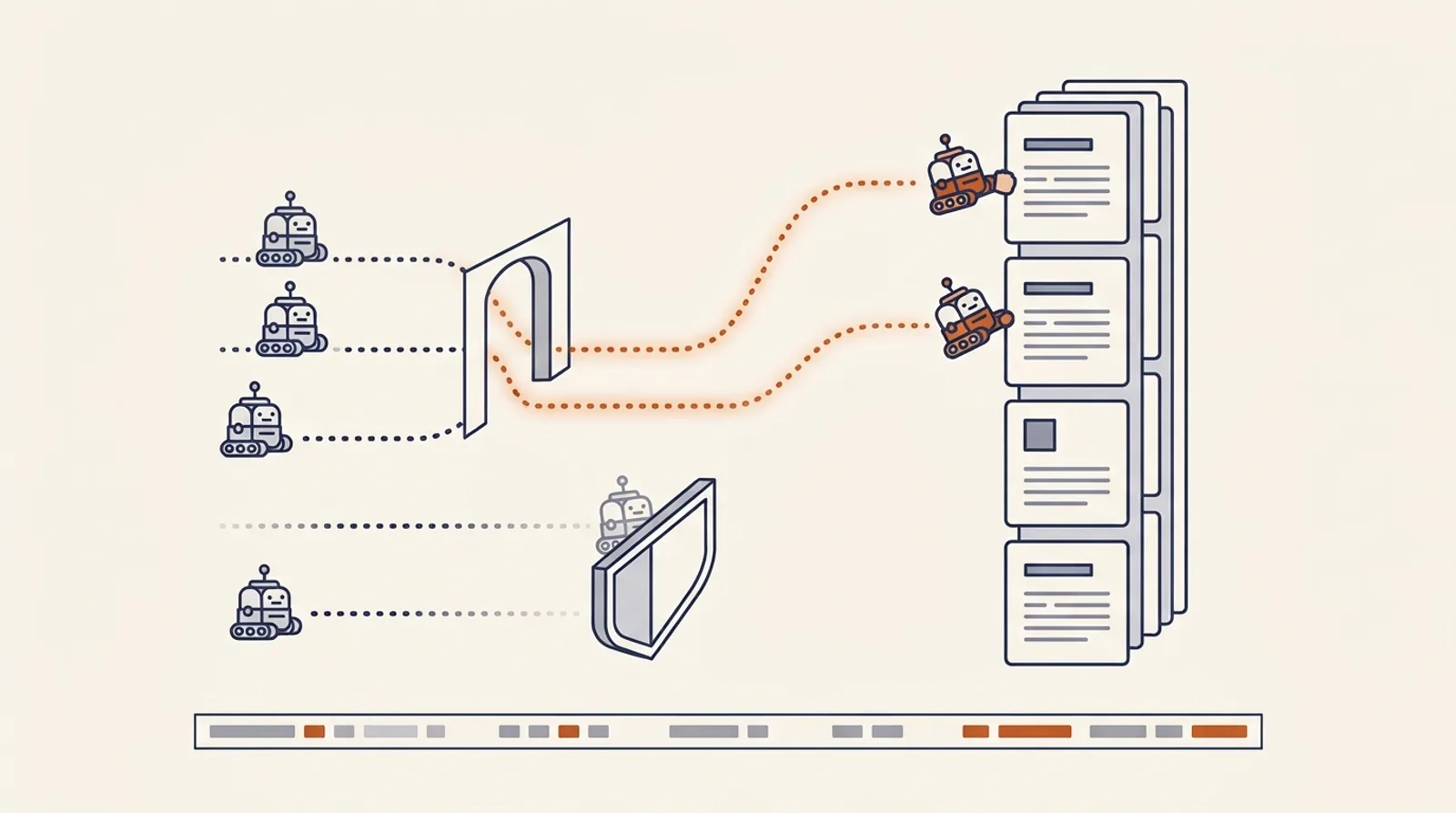
An AI engine cannot cite a page it never retrieved — and the two most common reasons it never retrieved yours are a robots.txt written for a different era and a Cloudflare default you did not know existed. Neither shows up in any dashboard. Your pages look fine in a browser, rank fine in Google, and are simply absent from the pool ChatGPT, Claude and Perplexity draw from.
This is the technical floor of generative engine optimization. It is unglamorous, mostly binary, and usually fixable in an afternoon. Here is the full checklist: which crawlers exist and what each one does, a robots.txt you can copy, the Cloudflare situation as of September 2026, the JavaScript problem, llms.txt in its proper (small) place, and how to prove it all worked in your logs.
The short version
| Layer | Failure mode | Fix | Verify |
|---|---|---|---|
| robots.txt | Old wildcard Disallow catches every AI agent | Name each agent; allow search-time bots | Fetch with each UA string |
| CDN / WAF | Cloudflare blocks AI bots before robots.txt is read | Allow in AI Crawl Control | Logs show 200, not 403 |
| Rendering | Content arrives via JavaScript | SSR or static-generate what you want cited | View source, not inspector |
| Speed | Slow TTFB → fewer pages sampled | Edge-cache HTML for bots | Per-agent fetch counts rise |
| Map | No sitemap; noisy llms.txt | Sitemap line in robots; curated llms.txt | Agents fetch listed URLs |
Work top to bottom. The first two rows are where most sites are actually broken.
Who is knocking: the crawlers and what each one does
The single most important idea in this article: the same company runs different bots for different jobs, and blocking one is not blocking the others. OpenAI is the clearest case. Its crawler documentation lists:
| Agent | Job | Respects robots.txt |
|---|---|---|
OAI-SearchBot | ”surface websites in search results in ChatGPT’s search features” | Yes |
ChatGPT-User | Fetches when “users ask ChatGPT or a CustomGPT a question” | May not — “because these actions are initiated by a user” |
GPTBot | Crawls content “that may be used in training” | Yes |
OAI-AdsBot | Validates pages submitted as ChatGPT ads | Yes |
Anthropic’s documentation splits the same way: ClaudeBot collects content “that could potentially contribute to their training”; Claude-SearchBot “navigates the web to improve search result quality”; Claude-User fetches “when individuals ask questions to Claude.” Blocking the last two, in Anthropic’s own words, “may reduce your site’s visibility” in Claude answers.
The full cast, grouped by what blocking them costs you:
Citation crawlers — block these and you disappear from answers:
OAI-SearchBot, ChatGPT-User, Claude-SearchBot, Claude-User, PerplexityBot, Perplexity-User, Googlebot (AI Overviews and AI Mode are grounded in the ordinary index), Bingbot (Copilot, and the index ChatGPT search leans on), Applebot (Siri, Apple Intelligence), Amazonbot (Alexa, Rufus).
Training-only crawlers — a policy choice, not a visibility one:
GPTBot, ClaudeBot, Google-Extended (Gemini grounding and training — not Search indexing), Applebot-Extended, CCBot (Common Crawl, which many models train on), Bytespider, Meta-ExternalAgent.
The line between the two groups is where every robots.txt decision should be made.
A robots.txt you can copy
The rule that matters more than any specific line: name each agent explicitly. A wildcard Disallow: / written in 2019 for scrapers applies to OAI-SearchBot today. The per-agent groups below override the wildcard for those agents.
Option A — the open policy (what we run on sanbi.ai):
User-agent: *
Allow: /
Disallow: /api/*

# OpenAI
User-agent: OAI-SearchBot
Allow: /
Disallow: /api/*

User-agent: ChatGPT-User
Allow: /
Disallow: /api/*

User-agent: GPTBot
Allow: /
Disallow: /api/*

# Anthropic
User-agent: Claude-SearchBot
Allow: /
Disallow: /api/*

User-agent: Claude-User
Allow: /
Disallow: /api/*

User-agent: ClaudeBot
Allow: /
Disallow: /api/*

# Perplexity
User-agent: PerplexityBot
Allow: /
Disallow: /api/*

User-agent: Perplexity-User
Allow: /
Disallow: /api/*

# Google (Gemini grounding), Bing, Apple, Amazon
User-agent: Google-Extended
Allow: /
Disallow: /api/*

User-agent: Bingbot
Allow: /
Disallow: /api/*

User-agent: Applebot
Allow: /
Disallow: /api/*

User-agent: Amazonbot
Allow: /
Disallow: /api/*

Sitemap: https://example.com/sitemap-index.xml
Our live file goes further — twenty-plus named agents including Bytespider, Baiduspider, PetalBot and DuckAssistBot — and states the decision for each group in a comment. That comment is the point: whoever edits the file next should see that every line was deliberate.
Option B — cited, but not trained on:
# Search-time agents: allowed
User-agent: OAI-SearchBot
Allow: /

User-agent: ChatGPT-User
Allow: /

User-agent: Claude-SearchBot
Allow: /

User-agent: Claude-User
Allow: /

User-agent: PerplexityBot
Allow: /

# Training-only agents: blocked
User-agent: GPTBot
Disallow: /

User-agent: ClaudeBot
Disallow: /

User-agent: Google-Extended
Disallow: /

User-agent: CCBot
Disallow: /

User-agent: Bytespider
Disallow: /

User-agent: *
Allow: /
Disallow: /api/
Disallow: /account/

Sitemap: https://example.com/sitemap-index.xml
Option B is the pattern that has quietly become the publisher norm. An analysis of robots.txt files across Cloudflare’s network in September 2026 found sites increasingly blocking training bots while allowing answering bots — exactly this split.
Three rules regardless of which option you choose:
- Never disallow the CSS, JS or JSON endpoints a page needs — Googlebot renders, and a blocked stylesheet can wreck what it sees.
- Keep private paths disallowed in every group. A per-agent
Allow: /with noDisallowopens/api/to that agent even if the wildcard closes it. - Include the
Sitemap:line. It is the cheapest map you will ever give a crawler.
The Cloudflare problem
This is the one that catches technically competent teams, because it happens before robots.txt is ever read.
On 1 July 2025 Cloudflare began blocking known AI crawlers by default on every new zone. A perfectly written robots.txt does nothing here — the request is refused at the edge with a hard block, and the crawler never sees your file. Given Cloudflare’s share of the web, a meaningful fraction of “we can’t get cited” cases are just this.
It got more nuanced on 1 July 2026, when Cloudflare announced new defaults effective 15 September 2026 for all new domains onboarding to its network. AI traffic is now sorted into three categories:
| Category | Cloudflare’s definition | Default on ad-supported pages (new domains) |
|---|---|---|
| Search | Crawlers that “build a database of your site to later respond to queries” | Allowed |
| Agent | ”Automated behavior that is acting, usually in real time, on a person’s behalf” | Blocked |
| Training | ”Crawling to train or fine-tune models” | Blocked |
The rationale, in Cloudflare’s words: “an ad is a signal that a website owner meant for a person to land there.”
Two implications most coverage has missed:
Agent traffic is now blocked by default on ad pages — which includes ChatGPT-User and Claude-User style fetches, the ones triggered by a real person’s question. That is not a training crawler; that is a potential citation being refused.
Mixed-use crawlers are judged by all of their behaviours. Cloudflare states that crawlers combining Search with Training get “allowed/blocked according to all of their behaviors.” Googlebot, Applebot and Bingbot bundle search with training collection — so a site that turns on Training blocking can lose ordinary search visibility. Read that twice before flipping the switch.
How to fix it: open AI Crawl Control in the Cloudflare dashboard, review the per-crawler allow/block rules, allow the citation agents from the list above, and use its robots.txt tracking to see which crawlers are hitting your file and whether any are violating it. Then — always — confirm in the logs. A managed challenge page returns a 200 with a JavaScript puzzle in it, which is a block that looks like a success.
Everything here applies equally to other CDNs and WAFs with bot management. Cloudflare is just the one with the default.
The JavaScript problem
Googlebot renders JavaScript. Most AI crawlers do not — they read the raw HTML response and move on. A page whose product table, pricing, reviews or entire body arrives via client-side rendering can be pixel-perfect in a browser, pass every Lighthouse audit, rank in Google, and hand OAI-SearchBot a shell with a header and a footer.
The test is trivial: view source, not the inspector. The inspector shows the rendered DOM. Source shows what a non-rendering crawler receives. If the content you want cited is not in source, it is not in the answer. Adobe’s free checker extension does the same thing with a score attached — see our checker extensions guide.
The fix is server-side rendering or static generation for anything citation-worthy. You do not need to rebuild the app; you need the text to be in the HTML.
Speed, and why it is different for bots
AI crawlers fetch a lot of pages with short timeouts and modest per-site budgets. A slow origin gets fewer pages retrieved and is sampled less often. What matters is time to first byte — the crawler is reading HTML, not painting pixels, so Largest Contentful Paint is irrelevant to it and a slow database call on every request is fatal.
Cache HTML at the edge for bot user-agents, skip personalisation for them, and watch for rate-limiting rules that return 429 after a burst — a burst is exactly how crawlers behave.
llms.txt: useful, small, not a lever
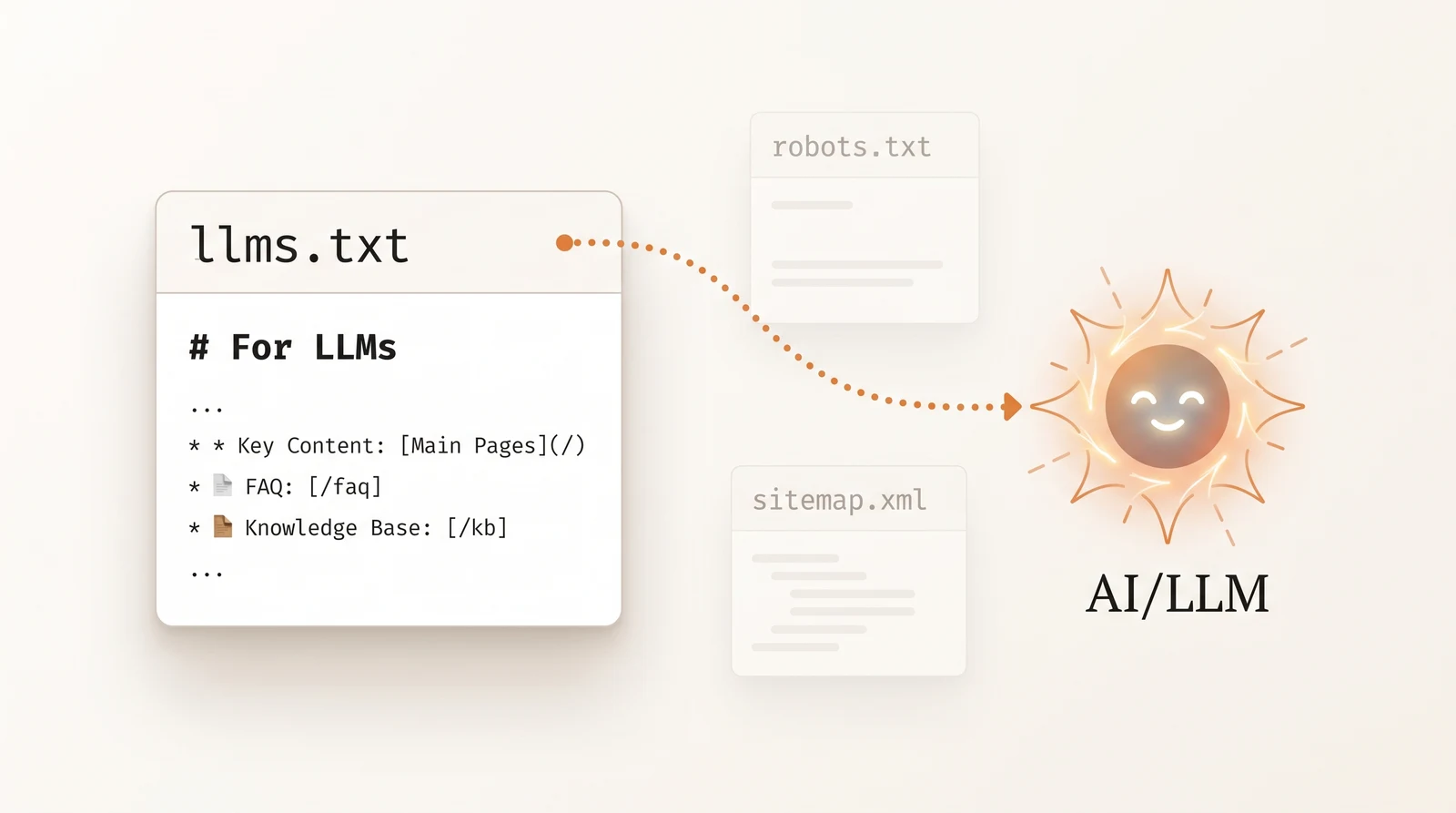
llms.txt is a Markdown file at your site root listing your most important pages with one-line descriptions. It is worth having. It is also worth being honest about:
- It does not control access — robots.txt does that.
- No major engine has confirmed using it as a retrieval or ranking signal, and Google’s AI features documentation says explicitly that no new AI text files are required.
- It costs almost nothing to maintain, some agents and tools do read it, and it makes a reasonable index for a human too.
So: publish one, keep it curated, and spend the saved time on the rendering check. Our complete llms.txt guide covers format and generation.
For ecommerce specifically: do not dump ten thousand SKU URLs into it. List category pages, best-sellers, buying guides, shipping and returns, and the about page, each with a plain description. Then put the real effort into Product schema with price, availability and identifiers, and server-rendered product details — that is what agents actually quote, as our ecommerce GEO guide sets out. If your category is heading toward agent-mediated purchasing, the agent protocol stack is the next layer up.
Prove it in the logs
None of the above counts until you have seen the crawler succeed. Filter your server or CDN logs by user-agent and report, per agent per day: request count, top fetched URLs, and response codes.
What the patterns mean:
| You see | It means |
|---|---|
| Zero requests from an agent you allowed | Still blocked upstream — WAF, CDN, or a wildcard rule |
403 | Bot management or a firewall rule |
429 | Rate limiting after a burst |
200 but tiny response size | Challenge page or empty shell — check the body |
ChatGPT-User hits on a specific URL | A real person’s prompt caused a live fetch of that page |
That last row is the most useful signal in this entire discipline. It is first-party evidence that a page is being consulted for answers — earlier than any citation tracker can show you, and far earlier than any referral click. The GA4 tracking guide covers how crawler logs fit alongside the analytics you already have.
The order of operations
- robots.txt — name every agent; allow the citation crawlers.
- Cloudflare / WAF — allow the same agents in AI Crawl Control; beware the mixed-crawler trap.
- Rendering — view source; SSR anything you want cited.
- Speed — edge-cache HTML for bots; kill
429s. - Map — sitemap line, curated
llms.txt. - Logs — confirm
200s per agent, then watch forChatGPT-User.
Everything after step six is generative engine optimization proper — content and authority work — the fan-out coverage, answer shape and third-party presence in how to rank in Google AI Mode and the GEO audit checklist. But none of that work can pay off for a page the crawler was turned away from.
Run a free AI visibility audit to see which of your pages the engines are actually citing — and which ones they have never been able to reach.
Frequently Asked Questions
AI crawler optimization is making sure the bots that feed AI answers can reach, fetch and parse your content: allowing the right user-agents in robots.txt, keeping your CDN or firewall from challenging them, serving complete HTML without relying on JavaScript, responding fast, and giving crawlers a clear map through sitemaps and llms.txt. It sits before content and authority work in any GEO plan, because an engine that never retrieved a page cannot cite it, and the failures are silent.
A common pattern is to allow search-time agents and disallow training-only ones. For OpenAI, allow OAI-SearchBot and ChatGPT-User while disallowing GPTBot if you do not want to be in training data. Allow PerplexityBot, Claude-SearchBot and Claude-User for citations, and decide on Google-Extended, which governs Gemini grounding and training rather than Search indexing. Disallow CCBot and Bytespider if you have no reason to feed those corpora. Keep private paths such as /api/ and /account/ disallowed in every group, and remember that a crawler you block cannot cite you.
List each AI agent explicitly rather than relying on the wildcard group, because a general Disallow written years ago for scrapers will catch OAI-SearchBot and PerplexityBot too. Give search-time agents access to your public content, block only the training-only agents you have a reason to block, and never disallow CSS or JSON endpoints that pages need to render. Add a Sitemap line, keep the file under a few hundred rules, and test it by fetching key pages with each agent's user-agent string.
For being cited: OAI-SearchBot and ChatGPT-User (OpenAI), Claude-SearchBot and Claude-User (Anthropic), PerplexityBot and Perplexity-User, Googlebot for AI Overviews and AI Mode, Bingbot for Copilot and for ChatGPT's index, Applebot for Siri and Apple Intelligence, and Amazonbot for Alexa and Rufus. Training-only agents such as GPTBot, ClaudeBot, Google-Extended, Applebot-Extended, CCBot, Bytespider and Meta-ExternalAgent are a policy choice. Our own robots.txt allows every one of them and states each decision per group.
Quite possibly. Since 1 July 2025 Cloudflare has blocked known AI crawlers by default on every new zone, and from 15 September 2026 new domains get Training and Agent traffic blocked by default on pages that show ads, with Search allowed. Its managed rules act before robots.txt is ever read, and a managed challenge can stop bots that are technically allowed. Check AI Crawl Control in the Cloudflare dashboard, allow the agents you want, then confirm in the logs that OAI-SearchBot, Claude-SearchBot and PerplexityBot receive 200 responses. The same applies to other CDNs and WAFs with bot-management rules.
Mostly no. Googlebot renders JavaScript, which is why AI Overviews and AI Mode can see client-rendered content, but OpenAI's, Anthropic's and Perplexity's crawlers largely read the raw HTML response. Content injected client-side, such as prices, spec tables, reviews or whole React pages, can be invisible to them while looking perfect in a browser. Test by fetching a page with the crawler's user-agent and reading the HTML, or by disabling JavaScript in your browser. Server-side rendering or static generation of anything you want cited is the fix.
Five steps in order. Allow the citation crawlers in robots.txt by name. Allow them in Cloudflare or your WAF and check for challenge pages. Serve your important content as server-rendered HTML with clean headings, lists and tables. Keep response times low, since AI crawlers time out aggressively and sample slow sites less. Publish a sitemap and an llms.txt, then verify in your logs that each agent is fetching the pages you care about. Everything after that is content and authority.
Anthropic's web search for Claude has been reported to rely on the Brave Search index rather than Google or Bing, with Anthropic's own Claude-SearchBot and Claude-User agents fetching pages for citation. That makes Brave Search visibility a small but real factor for appearing in Claude answers, and it means Claude's source mix differs from ChatGPT, which leans on Bing, and from Gemini, which uses Google. Allow Claude-SearchBot and Claude-User in robots.txt and check that Brave has indexed your key pages.
Filter your server or CDN logs by user-agent for GPTBot, OAI-SearchBot, ChatGPT-User, ClaudeBot, Claude-SearchBot, PerplexityBot, Google-Extended, Bingbot and Applebot, then report requests per agent per day, top fetched URLs and response codes. Cloudflare's AI Crawl Control shows this without log access. Zero visits from an agent you have allowed usually means a firewall rule or a robots.txt line is still blocking it; visits with 403 or 429 responses point to bot management or rate limiting.
Only if you have decided you do not want your content in OpenAI's training data, and only after separating that from search. GPTBot is the training crawler; OAI-SearchBot fetches for ChatGPT search results and ChatGPT-User fetches when a user asks about a page. Blocking all three removes you from ChatGPT answers. Many publishers now block GPTBot and allow the other two. Whatever you decide, write it explicitly per user-agent so the choice is deliberate rather than an accident of an old wildcard rule.
Hosted ecommerce platforms control your robots.txt and rendering for you, and the defaults are not written with AI crawlers in mind. Shopify, BigCommerce and similar platforms ship a managed robots.txt that you can only partly override, often serve product detail, price and review blocks through client-side JavaScript, and sit behind a CDN with its own bot rules — three of the four failure modes in this guide at once. Check what a non-rendering crawler actually receives by viewing source on a product page, confirm the platform is not blocking OAI-SearchBot or PerplexityBot, and make sure price and availability appear in Product schema in the raw HTML rather than being injected after load.
Yes, and differently from users. AI crawlers fetch many pages with short timeouts and modest per-site budgets, so slow origins get fewer pages retrieved and are sampled less often. Time to first byte matters more than visual load metrics, because the crawler is reading HTML, not rendering it. Cache HTML at the edge, avoid blocking on personalization for bot requests, and watch for rate-limiting rules that return 429 to bots after a burst.