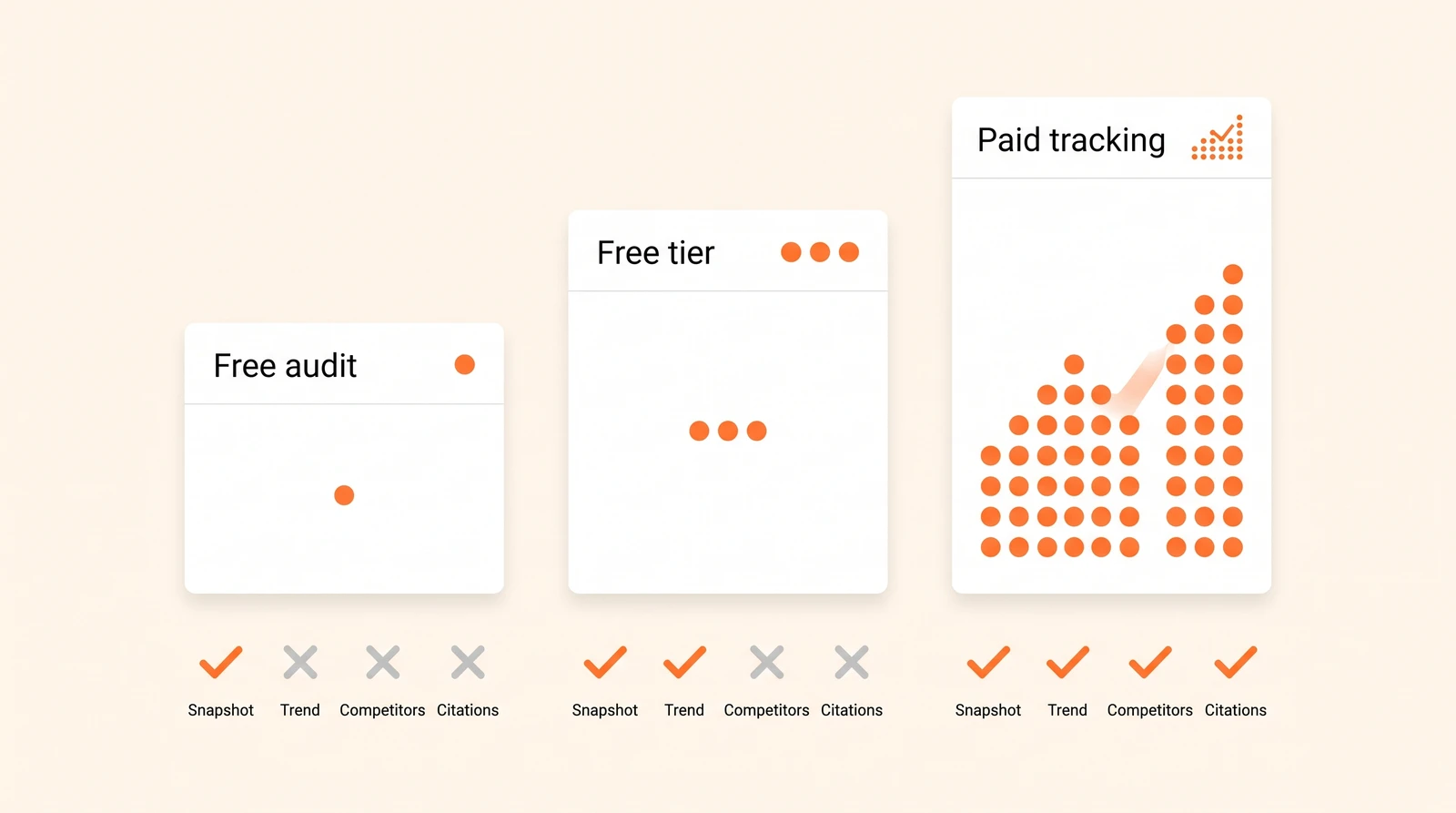
SEO AEO GEO Checker Tools: Chrome Extensions, WordPress Plugins and APIs (2026)
An SEO AEO GEO checker tells you whether a page could be cited by an AI engine. It cannot tell you whether it is. That one sentence explains most of the confusion in this category, and most of the disappointment.
These tools come in three form factors — browser extensions, WordPress plugins and APIs — and none of them is the same thing as an AI visibility tracking tool — and they are genuinely useful for the job they do. The job is readiness: can a machine fetch this page, read it without executing JavaScript, find a clean answer under a clear heading, and parse the structured data. That is a real problem, it is cheap to fix once you see it, and a free extension will find it in about four seconds.
What none of them do is watch ChatGPT, Gemini, Perplexity or Google’s AI surfaces and report back on whether you were named. Here is what each type actually measures, and where the line falls.
The short version
| Form factor | What it measures | What it cannot see | Cost |
|---|---|---|---|
| Browser extension | One page: agent readability, schema, crawler rules, render without JS | Anything off the page; whether engines cite you | Free |
| Site crawler / SaaS auditor | Every page: the same checks at scale, tracked over time | Whether engines cite you | $ – $$ |
| WordPress plugin | Site-side config: robots.txt, llms.txt, schema, AI bot hits | Engine answers | Free – $ |
| Data API | Raw mention and citation data you assemble yourself | Nothing, if you build it — but you build it | Pay per row |
| AI visibility tracker | Prompts → mentions, citations, sentiment, competitors, trend | On-page technical faults (mostly) | $$ |
Readiness tools and visibility trackers answer different questions. Most teams need one of each, and the mistake is buying the first and expecting the second.
What an SEO AEO GEO checker extension actually checks

Install one, open a page, click the icon. Within seconds you get some subset of:
- Crawler access — is GPTBot, ClaudeBot, PerplexityBot or Google-Extended allowed or blocked in
robots.txt - Render without JavaScript — how much of the content survives when scripts do not run
- Structured data — is there FAQ, Article, Product or Organization schema, and is it valid
- Heading structure — one
H1, question-shapedH2s, sensible nesting - Answer shape — whether a direct answer appears early under each heading
llms.txt— present or not- Metadata — title, description, canonical, dates, author
Every one of these is an on-page property. That is the boundary. An extension reads the tab you are on; it cannot query an engine, and it has no idea what your competitors’ pages look like or which sources the model prefers for your category.
Used correctly, this is still one of the highest-return four seconds in a GEO audit — because the failures it catches are binary. A page that renders empty without JavaScript is not “less likely” to be cited; it is invisible.
Adobe’s AI Content Visibility Checker
The best-known free option, and the one most “adobe ai visibility checker chrome extension” searches are looking for. It ships from Adobe’s LLM Optimizer product line — now also branded Adobe Brand Visibility — and it is free with no Adobe account required.
Two features make it worth installing over the lighter alternatives:
Citation Readability Score. It attempts to fetch the page the way an AI agent would — no JavaScript, no client-side rendering — and reports what percentage of your content an agent can actually read. A number, not a vibe.
Agent view vs human view. A side-by-side of what the crawler got and what your visitor sees. This is the feature that ends arguments, because a marketing team looking at a rich, interactive page and a crawler looking at an empty <div> are both technically correct.
Use it for the rendering check. Do not read the score as a prediction of citations — it is a measure of one necessary condition, not a sufficient one.
The JavaScript problem these tools exist to find
Worth its own section, because it is the single most common finding and the most consequential.
Different AI crawlers execute JavaScript to very different degrees, and several barely do at all. A page built so that its main content arrives via client-side rendering can look perfect in a browser, pass a Lighthouse audit, rank fine in Google — and hand an AI crawler a shell with a nav bar and a footer.
The extension check is a proxy. Our AI crawler optimization guide covers the robots.txt and Cloudflare rules behind this. The authoritative test is your own logs: find the bot’s user agent, confirm a 200 status, and confirm the response body actually contained the content. If you want the fuller picture of which crawler does what, where ChatGPT gets its information covers the retrieval side, and the llms.txt guide covers the file everyone asks about next.
While we are here: llms.txt is optional. Google’s own AI features documentation states that no new AI text files or markup are required to appear in its AI features. It costs nothing to publish and some smaller engines experiment with it, but it is nowhere near as important as the rendering and crawl-access work above it on this page.
The smaller SEO AEO GEO checker extensions
Search the Chrome Web Store for “SEO AEO GEO checker” and you will find a cluster of small extensions with near-identical names, mostly built by individuals or small agencies. They generally do a lighter version of the same checklist, sometimes with a composite score out of 100.
How to pick one:
- Prefer explicit checks over a single score. A number out of 100 with no breakdown is not actionable. A list of eight passes and two failures is.
- Check what it does with robots.txt. The useful ones name the specific AI user agents rather than reporting “robots.txt present.”
- Check the update date. Crawler names and engine behaviour changed repeatedly through 2026; an extension last updated in 2025 is checking for the wrong bots.
- Read the privacy section — see below.
None of them is a moat. If one disappears tomorrow, the checklist at the end of this article does the same job by hand.
WordPress plugins for AI visibility
Plugins work on the site side, and that is a genuinely different job from the extensions. Options in circulation include AI Visibility Booster, MAIO, Rank Press AI Visibility and the Alli AI plugin. Between them they:
- Manage
robots.txtrules for AI crawlers from the admin UI - Generate and maintain an
llms.txt - Add FAQ, Article and Organization schema without theme edits
- In some cases, log which AI bots fetched which posts — which is the most valuable feature in the list, because it is first-party evidence rather than a guess
That last one is worth isolating. AI-bot hit logs are a leading indicator: crawler activity precedes citation. If GPTBot suddenly stops fetching your blog, you want to know that in a week rather than discovering it in a quarterly visibility report.
What a plugin categorically cannot do is observe an engine’s answers. It runs inside your site; the answers happen on someone else’s servers. Pair it with an external check.
One caution on installs. If an AI visibility vendor asks you to install something on your site, confirm what it reads. Crawler-analytics integrations — Profound’s agent analytics WordPress install is one example — legitimately need a snippet to log bot traffic. Visibility data itself never requires site access, because it is gathered by querying engines, not by watching your server.
APIs: the build-your-own route
If you want AI visibility data inside your own reporting, two routes are common.
DataForSEO sells the data rather than a dashboard. Its LLM Mentions and AI Optimization endpoints return brand, keyword and domain mentions across LLM tools, per-model mention counts, the sources and pages cited, and AI search volume — drawn from a 280M+ prompt database spanning ChatGPT and Google AI Overviews. Pricing is pay-as-you-go, roughly $0.1 per request plus $0.001 per row (about $1 per 1,000 rows), with live responses in around two seconds and no monthly commitment. The endpoint documentation lists the exact fields returned. A meaningful share of the smaller AI visibility products on the market are, underneath, a UI on top of this.
Profound exposes a REST API for its visibility, citation and prompt-volume data, documented at docs.tryprofound.com with API-key auth, tied to enterprise plans.
The honest trade-off: an API gives you raw data and total flexibility, and leaves you to build prompt strategy, sampling schedule, sentiment scoring, competitor sets, alerting and charts. That is a product, not an afternoon. Most self-serve platforms — Sanbi included — offer CSV export and integrations to get data into your warehouse without that build. Ask any vendor whether prompt-level data is exportable before committing; aggregate-only export is a common and unpleasant surprise.
Checker vs tracker: visibility scores vs prompt tracking
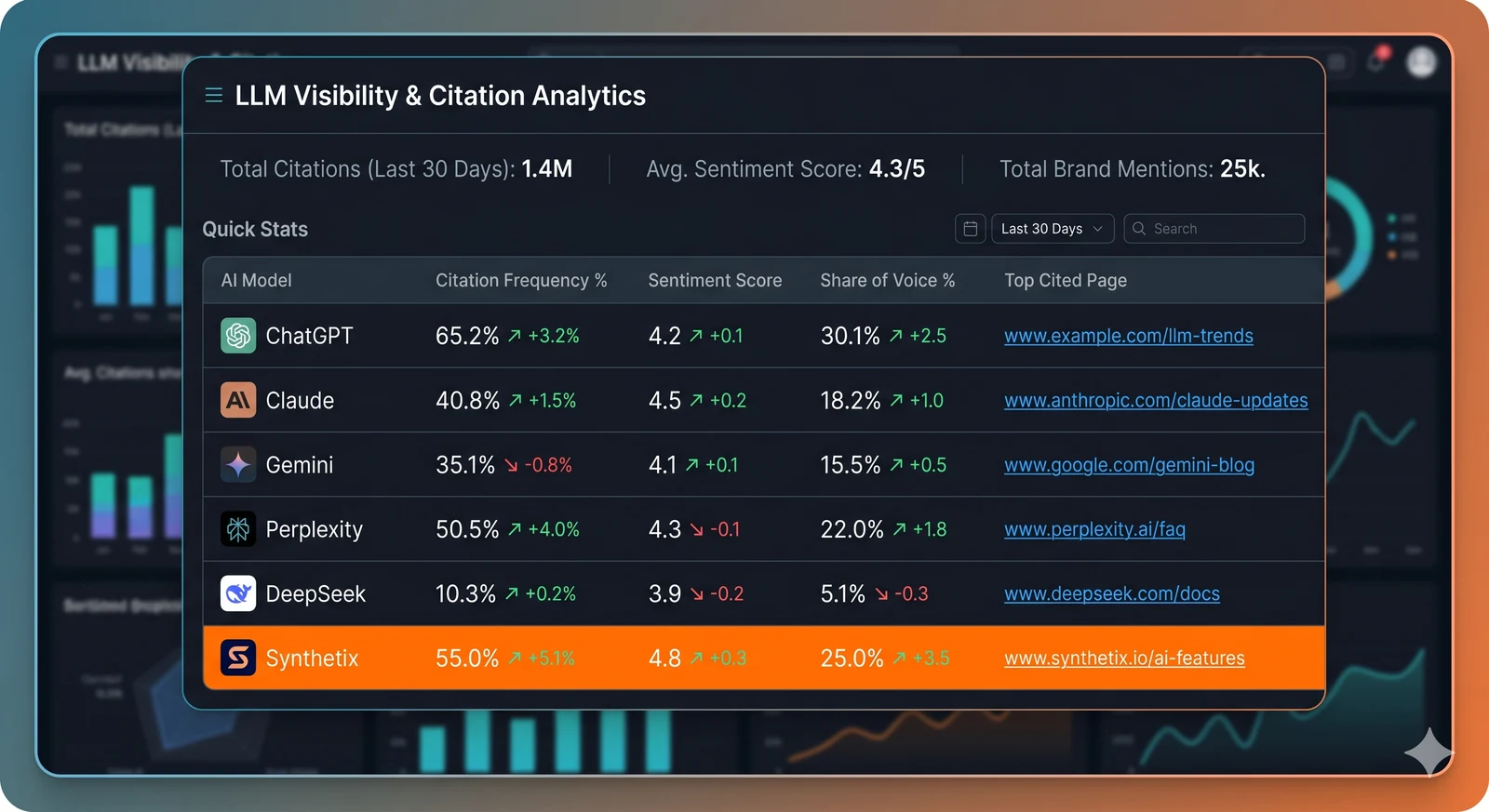
This is the section to send to whoever asks why the score is green and the pipeline is empty.
| Checker / extension | Visibility tracker | |
|---|---|---|
| Question answered | Could this page be cited? | Are we actually being cited? |
| Unit of analysis | A URL | A prompt |
| Sees competitors | No | Yes |
| Sees sentiment | No | Yes |
| Sees which sources win instead of you | No | Yes |
| Frequency | Once, after changes | Continuously |
| Fixes things | Tells you what to fix | Tells you if fixing worked |
The unit of analysis is the crux. Engines cite pages in response to prompts, not in the abstract. The same page can be cited for one question and ignored for a hundred others, which is why “is this URL AI-visible?” is an unanswerable question and “which of our pages get cited for the 40 questions our buyers actually ask?” is a measurable one.
It is entirely normal — and common — to score well on every readiness check and appear in no answers. That gap is not a bug in the checker. It is the third-party half of the problem: the review sites, roundups, comparisons and community threads that engines assemble answers from, none of which live on your domain. Our guide to measuring AI visibility covers what to track instead, and the free checkers and rank trackers comparison covers what $0 actually buys.
A 10-point AI readiness checklist for one page
If you skip the tooling entirely, this is what the tooling is checking. Ten items:
- Allowed for the major AI crawlers in
robots.txt - Content present in raw HTML without JavaScript
- One
H1, question-shapedH2s - The direct answer in the first sentence under each heading
- Specific numbers, prices and dates rather than generalities
- A table for anything comparative
- FAQ or HowTo schema containing real answers, matching the visible page
- Visible publication date and a named author
- Facts consistent with the rest of your site and your third-party listings
- Internal links to the sub-questions this page does not cover
A page passing all ten is eligible to be cited. Whether it is cited depends on third-party presence, which is not a page-level property and cannot be fixed with a plugin.
Privacy: what these extensions send home
Some checkers compute everything locally from the DOM in your tab. Many send the URL — or the full page content — to the vendor’s server to run the analysis. A few require an account and retain a history of everything you scanned.
Before installing one on client work or a staging environment:
- Read the Chrome Web Store privacy disclosures, not the marketing page
- Prefer extensions that state analysis happens locally
- Never run one on pages behind a login unless the policy explicitly covers it
- On client sites, check whether their security policy permits third-party extensions at all
This is not paranoia. A staging URL leaked into a vendor’s logs is a real, if boring, way to have an unannounced product show up in someone’s index.
”Which AI visibility tool has the green logo?”
A recurring search, and a fair one — people remember a tool’s colour from a conference slide or a screenshot but not its name. Several products in this category use green branding, so naming one would be a guess dressed up as an answer. The reliable route is the ranked, named list in the best AI visibility tools, where each tool appears with its actual positioning and pricing.
The bottom line
Extensions, plugins and APIs are three answers to three different questions, and all three are worth using:
- Install a checker extension and fix what it finds. Adobe’s is free and the agent-view feature alone justifies it. This is a one-off job, not a metric.
- Use a plugin if you are on WordPress, mainly for crawler rules, schema and AI-bot logging.
- Use an API only if you are building something and have the engineering time to spend.
- Then measure the outcome separately, because none of the above can see inside an answer.
Readiness is necessary and it is not sufficient. The checker tells you the door is unlocked; only prompt tracking tells you whether anyone walked through it.
Run a free AI visibility audit to see which prompts in your category name you today — and which name a competitor instead.
Frequently Asked Questions
It is a browser extension that audits the page you are on for classic SEO basics and adds AI-readiness checks: whether AI crawlers are allowed in robots.txt, whether the content is readable without JavaScript, the presence of FAQ and Organization schema, heading structure, an llms.txt, and sometimes a readability or citation score. Adobe's free AI Content Visibility Checker is the best-known example; several smaller SEO AEO GEO checker extensions do a lighter version. All of them inspect the page, and none can see whether ChatGPT or Gemini actually cite it.
It loads the current page the way an AI agent would, with no JavaScript and no client-side rendering, and reports a Citation Readability Score showing what share of the content an agent can actually read, alongside a side-by-side of the agent's view and the human view. It is free, needs no Adobe account, and is part of Adobe's LLM Optimizer product line, now also branded Adobe Brand Visibility. Use it for the rendering check in a GEO audit; use prompt tracking, not the extension, to learn whether you are being cited.
An AEO checker audits a page or site for the properties that make content quotable, such as answer-first structure, schema, crawlability and clean HTML, and gives you a readiness score. An AI visibility tracker measures the outcome: whether ChatGPT, Gemini, Perplexity and Google's AI surfaces actually mention or cite you for a set of prompts, over time, against competitors. Run the checker once to fix the page; run the tracker continuously to know whether the fixes worked. Scoring well on the first without moving the second is common.
A GEO SEO checker combines a traditional on-page SEO audit with generative-engine checks: AI crawler access, JavaScript dependence, structured data coverage, question-shaped headings, and sometimes a comparison of your page against the sources AI engines cite for the topic. Free versions are single-page browser extensions; paid versions crawl the whole site and track fixes. Treat the score as a to-do list rather than a ranking prediction, because engines weigh third-party presence heavily and no page-level checker can see that.
Yes, and they work on the site side. Plugins such as AI Visibility Booster, MAIO, Rank Press AI Visibility and the Alli AI plugin manage robots.txt rules for AI crawlers, generate llms.txt, add FAQ and Organization schema, and in some cases log which AI bots fetched which posts. They handle readiness well. What no plugin can do from inside WordPress is observe ChatGPT or Perplexity answers, so pair a plugin with an external check or tracker to measure actual visibility.
DataForSEO sells AI visibility data as APIs rather than as a dashboard. Its LLM Mentions and AI Optimization APIs return brand and domain mentions, per-model mention counts, cited pages and keyword-level AI metrics from a prompt database spanning ChatGPT and Google AI Overviews, priced pay-as-you-go at roughly $0.1 per request plus $0.001 per row with live responses in about two seconds. It is the build-your-own route for agencies and developers who want the data inside their own reporting; you supply prompt strategy, sentiment scoring, alerting and charts yourself.
Yes. Profound exposes a REST API for its visibility, citation and prompt-volume data so enterprise customers can pull results into warehouses and BI tools, documented at docs.tryprofound.com with API-key authentication. Access is tied to enterprise plans. Most self-serve AI visibility platforms, Sanbi included, offer CSV export and integrations for the same purpose; ask any vendor whether raw prompt-level data is exportable before you commit.
Two kinds of integration exist. Crawler analytics integrations, of which Profound's agent analytics WordPress installation is one example, add a small plugin or snippet that logs AI bot visits to your site and sends them to the platform. Visibility data itself does not need a WordPress integration, because it is gathered by querying the engines, not your site; you view it in the platform or export it. If a vendor asks to install something on your site, confirm it is only reading bot traffic.
For readiness, yes: Adobe's extension and several web tools score one page for agent readability, schema and crawlability. For actual visibility, a URL is the wrong unit, because engines cite pages in response to prompts and the same page can be cited for one question and ignored for a hundred others. A free AI visibility audit that runs a set of category prompts and reports which of your pages were cited answers the real question: not whether this page is AI-ready, but whether it gets used.
There is no industry-standard AI visibility score, so the number is only as meaningful as the method behind it. Page-level checkers score readiness — how much of your content an agent can parse — while prompt tracking scores outcomes: how often you are named across a fixed prompt set, on which AI platforms, against which competitors. The two routinely disagree, and a readiness score in the nineties alongside a citation rate near zero is the normal result rather than a contradiction. Before comparing scores across vendors, ask how many prompts, how many samples per prompt, and whether the figure is blended across engines, because a single blended number hides the per-engine movement that actually tells you what to fix.
Some do. Extensions that compute a score locally only read the page in your tab, but many send the URL or the page content to the vendor's server to run the analysis, and a few require an account. Read the Chrome Web Store privacy section before installing one on client or staging sites, prefer extensions that state they process pages locally, and never run them on pages behind a login unless the policy is explicit.
Partly. ChatGPT with browsing can fetch a public page and comment on structure, headings and clarity, and it is useful for turning a PageSpeed or crawl report into a prioritised list. It cannot see your robots.txt effects across engines, does not render JavaScript the way each crawler does, and its assessment of whether it would cite the page is not how retrieval actually works. Use it as an editor and analyst, and use crawler tests and prompt tracking for the measurements.
Ten items: allowed for the major AI crawlers; content present in raw HTML without JavaScript; one H1 and question-shaped H2s; the direct answer in the first sentence under each heading; specific numbers and comparisons; a table for anything comparative; FAQ or HowTo schema with real answers; visible dates and an author; consistent facts with the rest of the site; and internal links to the sub-questions the page does not cover. A page that passes all ten is eligible to be cited; third-party presence decides whether it is.