How to Track AI Traffic in GA4: ChatGPT, AI Overviews and AI Mode (2026)
There are two AI traffic problems, and only one of them is solvable in GA4.
Clicks from ChatGPT, Perplexity, Gemini, Copilot and Claude already arrive with a referrer. They are sitting in your GA4 property right now, scattered across the Referral channel, and a fifteen-minute configuration change will pull them onto their own line.
Clicks from Google AI Overviews and AI Mode do not. They carry the same google.com referrer as an ordinary blue-link click, with no parameter to key on, and there is no setting that changes this. If you are waiting for Google to add an AI channel to GA4, stop — the measurement lives in Search Console instead.
Here is how to set up each one properly, and how to read the two together without fooling yourself.
The short version
| Surface | Passes a referrer? | Visible in GA4? | Where to measure it |
|---|---|---|---|
| ChatGPT | Yes — chatgpt.com + utm_source | Yes | GA4 custom channel |
| Perplexity | Yes — perplexity.ai | Yes | GA4 custom channel |
| Gemini app | Yes — gemini.google.com | Yes | GA4 custom channel |
| Copilot | Yes — copilot.microsoft.com | Yes | GA4 custom channel |
| Claude | Yes — claude.ai | Yes | GA4 custom channel |
| Google AI Overviews | Google’s standard referrer | No — looks like organic | Search Console |
| Google AI Mode | Google’s standard referrer | No — looks like organic | Search Console |
| AI crawlers (pre-click) | n/a | No | Server / CDN logs |
Two systems, two jobs. GA4 owns AI referrals and on-site behaviour. Search Console owns Google’s AI surfaces. Neither one tells you whether you were mentioned without a link — that is a third measurement, covered at the end.
Why AI Overviews and AI Mode traffic is invisible in GA4
Because Google sends the same referrer it always has.
When a user clicks a link inside an AI Overview or an AI Mode answer, the browser reports a google.com referrer, exactly as it would from position 4 of a classic results page. There is no extra header, no query parameter, no utm tag. GA4 does what it should: files it under Organic Search, source google.
Three consequences worth internalising:
- You cannot build a channel group for it. There is nothing to match on. Any “AI Overviews channel” you have seen in a template is either wrong or is quietly matching something else.
- You cannot reverse-engineer it from landing pages. The same URL receives classic clicks and AI clicks in the same session window.
- A change in Google’s AI link formats shows up in your reports as an unexplained wobble in organic clicks — with no way to attribute it.
This is the single most common analytics misunderstanding in the category, and it is why “our AI traffic is zero” is usually a measurement artefact rather than a finding.
What Search Console does show
Search Console is the source of truth for Google’s AI surfaces, with an important limitation.
- Clicks and impressions from AI Overviews and AI Mode are included in the Performance report, folded into your Web search totals rather than separated by default.
- A dedicated generative-AI performance view has been rolling out since June 2026 and went worldwide at the end of August 2026. Google’s AI features documentation covers what is and is not reported. It reports impressions only — no clicks, no CTR, no query breakdown, no API.
So you can size the surface and watch its trend. You cannot yet see which queries triggered it or what the click-through was.
The practical workflow: use Search Console to answer “is Google’s AI layer showing us at all, and is that rising or falling?”, and GA4 to answer “what did the resulting organic sessions do on site?” Do not try to make either tool do the other’s job.
For the surface itself — what AI Overviews are and how tracking them differs — see our AI Overviews tracking guide. One more Search Console setting deserves a mention here, because it is adjacent and destructive: the generative-AI opt-out under Settings removes your site from AI Overviews and AI Mode entirely — as a link and as grounding. It is not a measurement control. Leave it off.
Which AI platforms pass a referrer
Everything outside Google’s own surfaces behaves like a normal referring website.
ChatGPT passes chatgpt.com and appends utm_source=chatgpt.com to most outbound links. Perplexity, Gemini, Copilot and Claude pass their own domains. These sessions are already in your data — they are just diluted across the generic Referral bucket, alongside newsletters and forum links, which is why nobody notices them.
What none of them pass is the prompt. There is no AI equivalent of a keyword, and there will not be one; the conversation is private. You get the source, the landing page, and everything that happens afterwards.
Build an AI Referrals channel in GA4
Fifteen minutes, once. Do it today rather than perfectly next quarter, because GA4 applies channel groups from creation onward — it does not retroactively reclassify history.
- Admin → Data display → Channel groups
- Create new channel group, starting from a copy of the default
- Add a channel named
AI Referralsand drag it above the existing Referral channel (order matters — first match wins) - Give it the condition: Source
matches regex
chatgpt\.com|perplexity\.ai|gemini\.google\.com|copilot\.microsoft\.com|claude\.ai|meta\.ai|you\.com|poe\.com- Add a second OR condition for Source
containschatgptto catch theutm_sourcevariants - Save, then select the new channel group in your reports and explorations
Then build one exploration on it: AI Referrals as the channel, broken down by landing page, with sessions, engagement rate and key events. That single report answers which of your pages AI engines are sending people to — which is also a direct list of the pages they trust.
Two housekeeping notes. Add the AI domains to your unwanted referrals exclusion list only if you are deliberately treating them as organic — most teams should not. And check Reports → Acquisition → Traffic acquisition with a Session source filter for chatgpt before you build anything, just to confirm the data is there.
The ChatGPT branded-link update
Worth understanding, because it explains a traffic jump that a lot of teams misread as a ranking win.
ChatGPT moved from bare numeric citations to clearer, brand-labelled link cards and inline links that name the source and are much easier to click. Publishers tracking referrals reported higher click-through after the change.
Nothing about attribution changed — same referrer, same utm_source. What changed is that existing citations became clickable. If your referral sessions from chatgpt.com rose without any change on your end, that is the likely cause, and it carries a useful implication: you were already being cited more than your traffic suggested. The citation came first; the click only started being counted later.
Which is the general lesson of this whole article. Referral traffic is a lagging, partial shadow of citation volume. It moves when the engine changes its link UI, not only when your visibility changes.
AI crawler analytics: the leading indicator
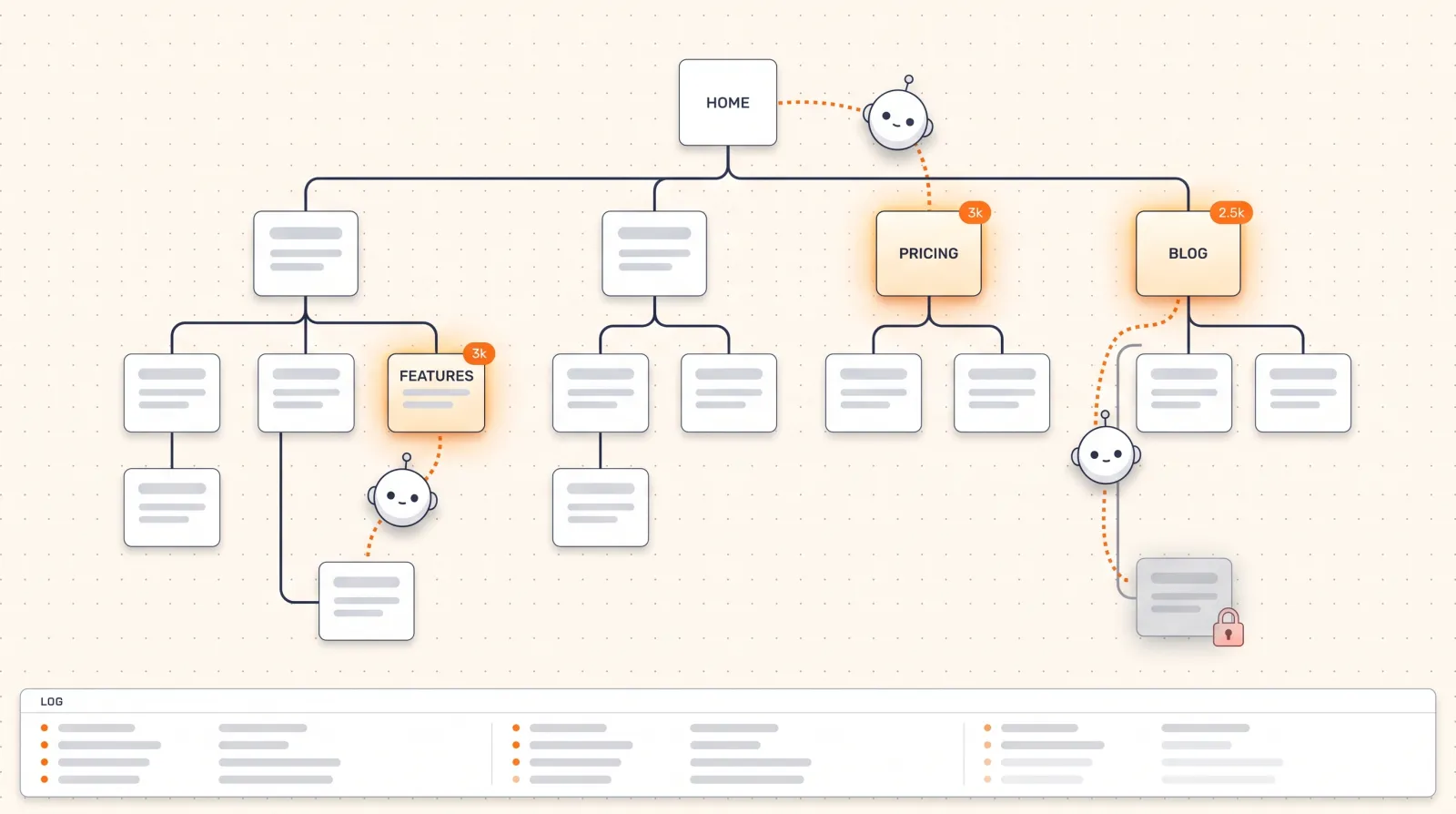
Which crawler fetches what varies by engine — where ChatGPT gets its information breaks down the retrieval side, and AI crawler optimization covers how to make sure each one can actually reach you. Before an engine can cite a page, it has to fetch it. That makes bot traffic the earliest signal you have — earlier than citations, much earlier than referrals.
Read your server or CDN logs for the agents that matter:
| Bot | Belongs to | What it means |
|---|---|---|
GPTBot | OpenAI | Training / general crawl |
OAI-SearchBot | OpenAI | Search index for ChatGPT |
ChatGPT-User | OpenAI | Live fetch triggered by a user’s prompt |
PerplexityBot | Perplexity | Index crawl |
ClaudeBot | Anthropic | Crawl |
Google-Extended | Gemini grounding/training control |
What to watch: which pages get fetched, how often, and with what status code. A 403 or a soft 404 served to OAI-SearchBot is a silent, total visibility failure that nothing in GA4 will ever surface. ChatGPT-User hits are especially interesting — they mean a real person’s prompt caused a live fetch of that URL.
Cloudflare and several analytics vendors now break out bot traffic by agent. If GPTBot stops fetching your blog, you want to know within a week, not in a quarterly review.
Measuring “organic decline due to AI” honestly
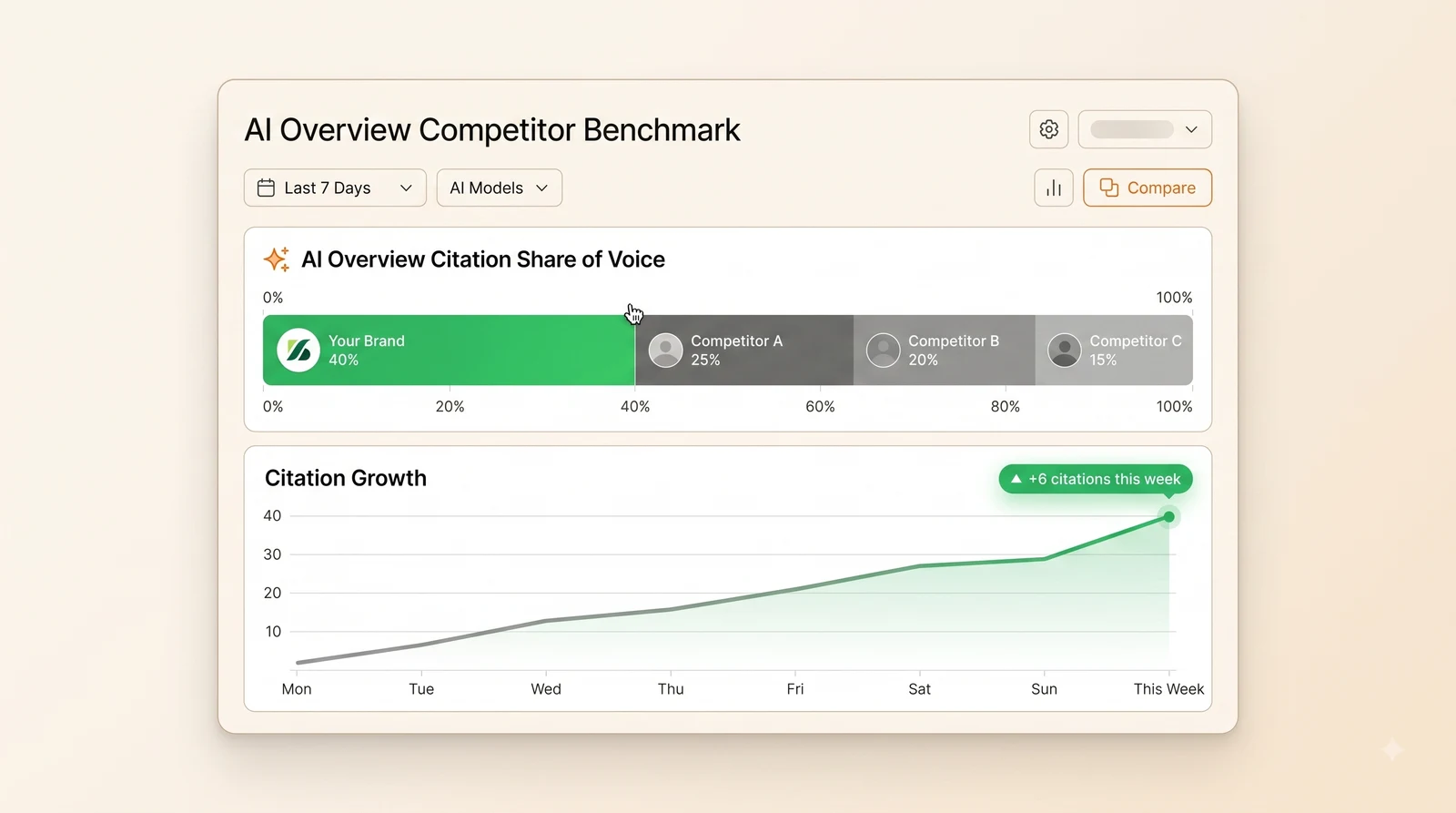
A single top-line organic number hides everything that matters here, because AI-generated answers absorb informational clicks while commercial intent holds up. Separate the effects:
1. Find the AI Overviews signature in Search Console. Ahrefs’ analysis of 1.9 million AI Overview citations found 76.1% of cited pages ranked in the top 10 — so you are usually still ranking while the clicks fall away. Compare impressions against clicks over 18 months for your informational pages. Flat or rising impressions with falling clicks is the pattern — you are still being shown, people just stop needing to click.
2. Segment GA4 organic by intent. Semrush’s AI Mode comparison study is a useful reminder that the surfaces behave differently from each other, not just from classic search. Informational content takes the hit. Commercial, comparison and branded pages typically hold up, and sometimes grow. Averaging them together produces a number that describes none of your content.
3. Add AI referrals back in. For many sites they offset part of the loss — and convert better, because the visitor arrives after a recommendation rather than while still evaluating.
4. Watch branded search. A rise in branded queries and direct sessions, with no campaign behind it, is often AI influence arriving indirectly. Someone asked ChatGPT, got your name, and searched for you.
That fourth point is the one most reports miss entirely. The mechanism is described in more detail in our piece on zero-click search.
Can you attribute conversions to AI search?
Directly for referrals; indirectly for everything else.
Directly: AI referral sessions carry a source, so key events and revenue report per AI channel once the channel group exists. This is real, clean attribution — use it.
If you run paid alongside this, the same discipline applies to campaign measurement — see strategic ad campaigns.
Indirectly: AI Overviews and AI Mode clicks hide inside organic, and a large share of AI influence never produces a click at all. Someone reads a recommendation, remembers the name, and arrives via branded search a week later.
Two cheap additions close most of the gap:
- A “how did you hear about us?” field on your main form with an explicit ChatGPT / AI assistant option. Low-tech, and consistently the most revealing data most teams collect.
- Branded-search lift compared against your tracked AI visibility trend. If your mention rate for category prompts rises and branded search follows a few weeks later, that correlation is the closest thing to attribution this channel offers.
What none of this measures
Everything above measures traffic. None of it measures visibility.
You can be named in a thousand ChatGPT answers a month, described accurately, recommended over your competitors — and if the answer does not carry a link, or the user does not click it, every tool in this article reports nothing. The influence is real and the analytics are silent.
That is the gap answer engine analytics exists to fill: how often you appear across a fixed prompt set, in which engines, with what sentiment, which of your pages get cited, and which third-party sources get cited instead of you. It is a different measurement taken a different way — by querying the engines, not by watching your server.
Pair the two and the picture is complete: crawler logs tell you what gets fetched, visibility tracking tells you what gets cited, GA4 tells you what gets clicked, and Search Console sizes Google’s AI layer.
Run a free AI visibility audit to see which prompts in your category name you today — the half GA4 will never show you.
The bottom line
The rest of the stack these numbers feed into is in the 2026 marketing toolkit.
- ChatGPT, Perplexity, Gemini, Copilot and Claude referrals are already in GA4. Build the custom channel group today; it only counts forward.
- AI Overviews and AI Mode clicks are not in GA4 and never will be. Use Search Console, and accept impressions-only for now.
- Crawler logs are your earliest warning system. A 403 to
OAI-SearchBotis invisible everywhere else. - Stop reading one top-line organic number. Split by intent, add referrals back, and watch branded search.
- Traffic is the lagging half of the story. Citations happen whether or not anyone clicks.
Frequently Asked Questions
You can already see it, just not separately. Clicks from AI Overviews and AI Mode are sent with Google's normal referrer, so GA4 records them as google / organic and there is no dimension that splits them out. Google has not announced a GA4 channel for AI surfaces. The place it is broken out is Search Console: AI Overviews and AI Mode clicks and impressions are counted in the Performance report, and a dedicated generative-AI view has been rolling out through 2026. Use Search Console for the split and GA4 for on-site behaviour.
It receives the sessions but cannot tell them apart from classic search clicks. Both carry a google.com referrer and no distinguishing parameter, so they land in the Organic Search channel under source google. You cannot reverse-engineer them from landing pages either, because the same URLs receive both kinds of clicks. The reliable approach is to compare Search Console's AI-surface metrics with GA4's organic trend for the same pages and dates.
ChatGPT passes chatgpt.com as the referrer on outbound clicks and appends utm_source=chatgpt.com to most links, so the sessions already exist in GA4 under Referral or under a utm-defined source. Create a custom channel group with a rule such as source matches chatgpt.com, perplexity.ai, gemini.google.com, copilot.microsoft.com or claude.ai and name it AI Referrals. Then build an exploration on that channel with landing page, engagement and key events so you can report AI-referred conversions on their own line.
ChatGPT changed how it presents outbound links, moving from bare citation numbers to clearer, brand-labelled link cards and inline links that show the source name and are easier to click. Publishers tracking referrals reported higher click-through after the change, which is why the update shows up in traffic questions. Nothing changed about attribution mechanics: the clicks still arrive with a chatgpt.com referrer and the utm_source parameter, so the same GA4 channel rules capture them.
The major consumer engines already do. ChatGPT, Perplexity, Gemini, Copilot and Claude send a referrer when a user clicks a cited link, and ChatGPT adds a utm_source parameter as well. What they do not pass is the prompt or conversation, so you will never see the equivalent of a keyword. Where attribution breaks is on in-app browsers and on clicks from AI Overviews and AI Mode, which inherit Google's standard referrer and look like ordinary organic. Expect the referrer situation to improve and the prompt-level data to stay private.
Yes. Over 2025 and 2026 ChatGPT, Gemini and Perplexity all made citations more visible, with inline links, source cards, branded previews and shopping modules, and publisher data showed AI referral traffic growing several-fold from a small base as a result. The share of answers that carry a link still varies by query type: research and shopping prompts link heavily, quick factual answers often do not. Growth in referral clicks tracks how often you are cited, which is the number worth monitoring.
Because you were already being cited and the citations became clickable. When ChatGPT moved to inline and branded links, every existing mention became a potential visit, and sites that were frequently used as sources saw referral sessions rise without any change on their end. Check GA4 for source chatgpt.com to confirm, and log which pages received the visits. Those are the pages ChatGPT trusts, and expanding their topic coverage is the fastest way to grow the number.
Separate the two effects. In Search Console, compare impressions with clicks over 18 months for your informational pages: flat or rising impressions with falling clicks is the AI Overviews signature. In GA4, segment organic landing pages by intent; informational content typically shows the decline while commercial and branded pages hold. Then add AI referral sessions from ChatGPT, Perplexity and Gemini to the picture. For many sites they offset part of the loss and convert at a higher rate. A single top-line organic number hides all of this.
Clicks from AI Overviews carry the same google.com referrer as regular results, so analytics tools cannot attribute them to the AI feature, and any change in AI Overview link formats shows up only as an unexplained movement in organic clicks. There is no header or parameter to key on. Treat Search Console as the source of truth for AI Overview clicks, and use GA4 for downstream behaviour of organic sessions rather than trying to isolate AI Overview visits there.
AI crawler analytics means reading your server or CDN logs for visits from AI bots such as GPTBot, OAI-SearchBot, ChatGPT-User, ClaudeBot, PerplexityBot and Google-Extended, and reporting which pages they fetch, how often, and with what response codes. It is the leading indicator of AI visibility: an engine cannot cite a page it has not retrieved. Cloudflare and several analytics vendors now expose bot traffic by agent, and AI visibility platforms increasingly pair crawler data with citation data so you can see the whole pipeline from fetch to mention.
Answer engine analytics is measurement for AI answer surfaces: how often your brand appears across a defined prompt set, in which engines, with what sentiment, which of your pages are cited, which third-party sources are cited instead, and what traffic and conversions result. It replaces rank tracking for ChatGPT, Gemini, Perplexity, Copilot, AI Overviews and AI Mode, where there is no numbered position. The output that matters is a trend per engine plus a list of citation gaps, not a single score.
The consistent findings across 2026 reports: AI referral traffic is growing quickly from a small base, ChatGPT sends the large majority of it, Perplexity and Gemini follow, and AI-referred visitors convert at multiples of organic averages because they arrive after a recommendation. At the same time, informational organic clicks decline where AI Overviews appear. Any report worth reading shows the method, meaning which sites, which referrers and what period, because AI referral share varies enormously by industry and content type.
Go to Admin, Data display, Channel groups, and create a custom channel group copying the default. Add a channel named AI Referrals above Referral with a condition that source matches the regex chatgpt.com|perplexity.ai|gemini.google.com|copilot.microsoft.com|claude.ai|meta.ai, and a second condition for source containing chatgpt when utm parameters are used. Save, then use the new group in reports and explorations. GA4 applies channel groups from creation onward, so build it now to start accumulating history.
Directly for referrals, indirectly for the rest. AI referral sessions from ChatGPT, Perplexity and Gemini carry a source, so key events and revenue in GA4 can be reported per AI channel. AI Overviews and AI Mode clicks hide inside organic, and most AI influence arrives later as a branded search or direct visit after a recommendation. Cover the gap with two additions: a how-did-you-hear field that includes an AI assistant option, and a comparison of branded search lift against your tracked AI visibility trend.