How to Track Google AI Mode in 2026: Monitoring Your Brand in Google's Conversational AI Search
Google quietly changed what “the first page of search” means — again.
For a decade, SEO meant the ten blue links. Then AI Overviews appeared above them. Now there’s a third surface most teams aren’t tracking at all: Google AI Mode — a full-page, conversational answer engine, powered by a custom version of Gemini, that your highest-intent buyers are already using to research, compare, and decide.
If you only track classic rankings and AI Overviews, you are blind to the surface where the hardest, most valuable “help me choose” questions now get answered. Here’s what AI Mode is, why tracking it is fundamentally different, what to measure, and how to monitor your brand’s visibility inside it.
What is Google AI Mode?
Google AI Mode is a dedicated, conversational search experience inside Google Search: instead of a ranked list of links it returns a synthesized answer with citations, and lets you keep asking follow-ups in a thread. It runs on a custom version of Gemini grounded in Google’s live index, and it builds every answer through query fan-out — many silent sub-queries, merged into one response.
For the full explainer — how it differs from AI Overviews and the Gemini app, how to turn it on or avoid it, where it’s available, how many people use it, and what it cites — see Google AI Mode, explained. For the analytics side, see tracking AI traffic in GA4. This guide is about measuring it.
AI Mode vs AI Overviews vs classic search
The single most common mistake teams make is treating these as the same thing. They aren’t.
| Classic results | AI Overview (AIO) | AI Mode | |
|---|---|---|---|
| What it is | Ten blue links | AI answer box above the links | Full-page conversational answer |
| How you reach it | Default | Appears automatically on some queries | You enter the AI Mode tab |
| Format | Ranked list | Short synthesized snippet + a few sources | Long answer + many citations + follow-ups |
| Retrieval | Index ranking | AI over search results | Query fan-out across many sub-queries |
| Best for | Navigational / simple | Quick informational | Research, comparison, “help me decide” |
| How you track it | Rank position | AIO presence + citation | Presence + citation + share of voice across a conversation |
You can rank #1 organically, be absent from the AI Overview, and be invisible in AI Mode — all at once. Three surfaces, three separate measurements.
”Gemini vs AI Mode” — what people are actually asking
A lot of people search gemini vs ai mode expecting a rivalry. The honest answer: AI Mode is Gemini, inside Search — the Gemini app is a general-purpose assistant, while AI Mode is a search-grounded version with live retrieval, query fan-out and Google’s index behind every answer. The full comparison is here.
For brand tracking, that distinction is the whole point: the Gemini app and AI Mode can cite different sources for the same question, because one is a general assistant and the other is wired directly into Google Search. You have to track them as two surfaces.
Why tracking AI Mode is genuinely different
Classic rank tracking answers one question: what position is my page in the list? AI Mode has no list. That breaks the old model in four ways:
- No fixed rank. The answer names some brands, cites some sources, and omits others. There is no “position 3.”
- It’s conversational. The answer to the follow-up question is different from the answer to the first — your visibility can change as the conversation deepens.
- It’s personalized. Location, session context, and account signals can change the answer. Two users, two answers.
- It fans out. Because of query fan-out, the answer is assembled from many sub-queries you never see — so you can win the head term and still be missing from the sub-queries that actually feed the answer.
What to measure in Google AI Mode
Since there’s no numbered rank, an AI Mode tracker records, per prompt and per location, on every scheduled run:
- Presence — is your brand mentioned at all?
- Citation — is your domain linked as a source, and where in the answer?
- Prominence — named first among options, or buried at the bottom?
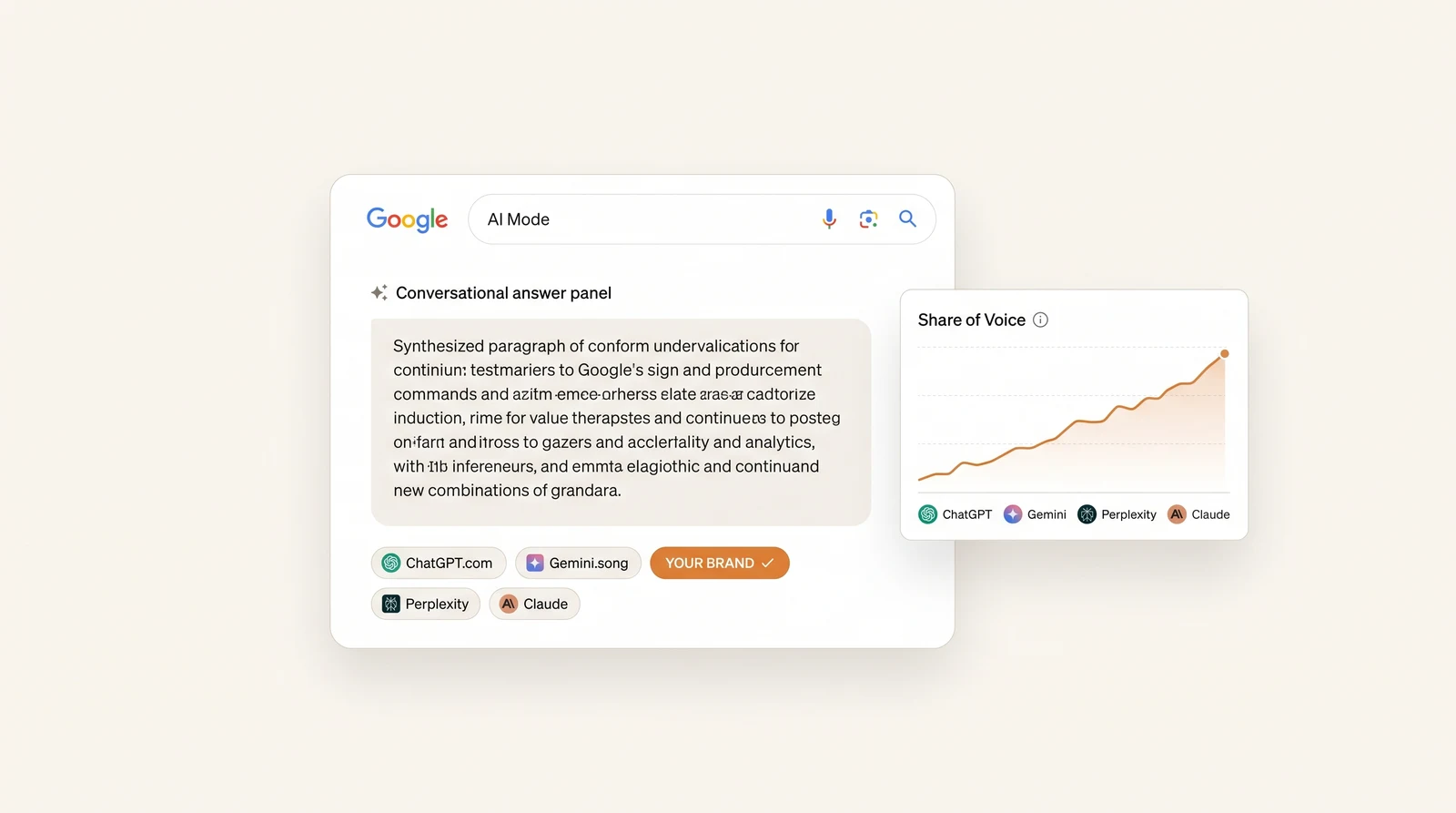
- Share of voice — across your tracked prompt set, what % of answers include you vs each competitor?
- Follow-up coverage — do you still appear as the conversation goes deeper?
- Sentiment — how does AI Mode characterize you?
- Trend — week-over-week change, with alerts on gains and losses.
This is the same family of metrics you’d use for ChatGPT rank tracking or measuring AI visibility — adapted to a conversational, fan-out surface.
The query fan-out problem (and opportunity)
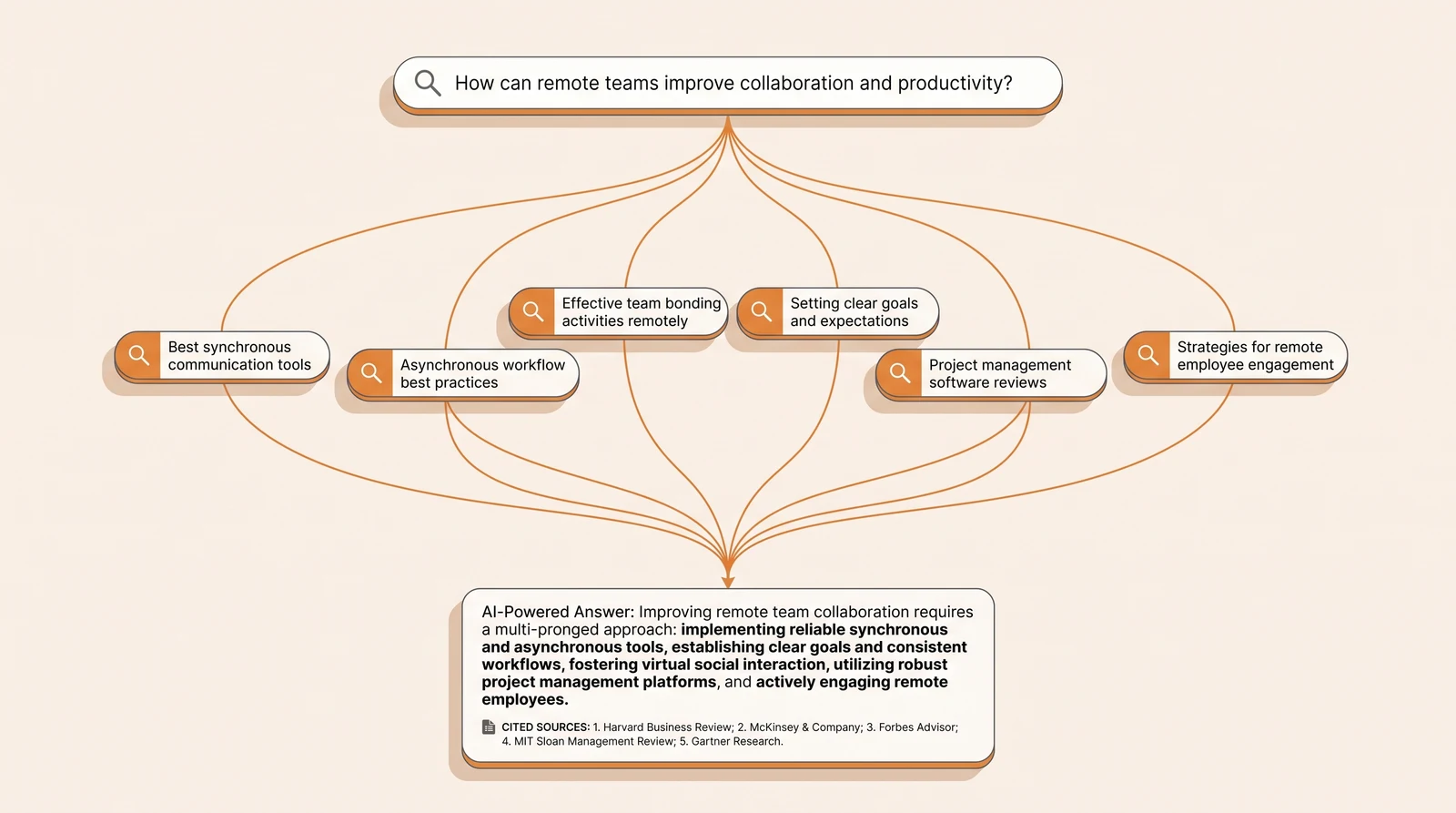
Here’s the mechanic that changes AEO strategy for AI Mode. When you ask “best AI visibility tools for a mid-market SaaS,” AI Mode doesn’t run that one search. It fans it out into sub-queries like:
- “AI visibility tools comparison”
- “AI visibility software for SaaS”
- “ChatGPT rank tracking tools”
- “AEO tools pricing”
- “AI visibility tools reviews”
…retrieves results for each, and synthesizes. If your content only targets the head term, you’re absent from the sub-queries that build the answer. Winning AI Mode means covering the whole cluster of related sub-questions, comparisons, and follow-on intents around a topic.
We break down the full mechanics — and how to reverse-engineer the sub-queries — in our companion guide, Query Fan-Out, Explained.
How to track Google AI Mode
Manually (good for a one-off audit): open AI Mode, set your location, run 10–20 representative buyer questions, and for each answer note presence, citation, prominence, sentiment, and competitors. Ask the obvious follow-ups and record whether you persist. Repeat monthly.
With a tracker (for ongoing measurement): a dedicated AI-visibility platform runs your prompt set against AI Mode on a schedule, per location, parses each answer, and reports share of voice and citation trends — the same way it tracks AI Overviews, ChatGPT, Gemini, Perplexity, and Claude. Beyond ~20 prompts, automation isn’t a nicety — it’s the only way to get a reliable trend.
How to improve your AI Mode visibility
Two levers move the answer:
- Cover the fan-out. Publish deep, structured, answer-first content — the kind Google rewards in its helpful content guidance — that addresses the head term and its sub-questions, comparisons, and follow-ons. Breadth across the topic cluster is as important as depth on any one page.
- Earn trusted citations. AI Mode leans on sources it already trusts for your category, and reinforces your own pages with structured data. Get cited on the domains and pages the model pulls from — through earned mentions, comparisons, and authoritative third-party coverage — and you change what the answer is built from. Our GEO playbook covers the full framework.
Then re-measure weekly to see which moves landed. Without tracking, AEO for AI Mode is guesswork.
For the full optimization side — the eligibility checks that silently disqualify a site, the fan-out coverage method, and why Google’s own panels are now AI Mode’s second most-cited domain — see our companion guide, how to make your website rank in Google AI Mode.
The bottom line
- AI Mode is a third, separate surface — not AI Overviews, not the Gemini app — where high-intent, comparative queries now get answered.
- It has no numbered rank; you track presence, citation, prominence, and share of voice across a prompt set, per location, over time.
- Query fan-out means you must cover the whole question cluster, not just the head keyword.
- It’s conversational and personalized, so a controlled, repeatable, weekly method beats any single snapshot.
You can’t optimize what you can’t see. Run a free AI visibility audit and baseline your brand across ChatGPT, Gemini and Claude in about two minutes — then decide where to invest.
Frequently Asked Questions
Classic rank tracking records your position in a fixed list of ten blue links. AI Mode has no fixed list — it returns a synthesized answer that names some brands, cites some sources, and omits others, and the answer changes with follow-up questions, personalization, and location. So tracking AI Mode means measuring presence (are you mentioned?), citation (is your domain linked as a source?), prominence (named first or buried?), share of voice (you vs competitors across a prompt set), and follow-up coverage (do you appear as the conversation deepens?) — not a single numbered rank.
Query fan-out is the technique AI Mode uses to answer a question: instead of running one search, it silently issues many related sub-queries (synonyms, sub-questions, comparisons, follow-on intents), retrieves results for each, and synthesizes them into one answer. It matters because your brand can win the head term but still be absent from the fan-out sub-queries that actually feed the answer. Optimizing for AI Mode means covering the whole cluster of sub-questions around a topic, not just the primary keyword. See our companion guide on query fan-out for the full mechanics.
Run a defined set of representative buyer questions through AI Mode on a schedule, and for each answer record: whether your brand is mentioned, whether your domain is cited as a source, your position/prominence, sentiment, and which competitors appear. Repeat weekly so you can see the trend, and set the location because AI Mode answers vary by geography. Manual checking works for a one-off audit of 10–20 prompts; for ongoing measurement across dozens of prompts, an AI-visibility tracker automates the runs and reports share of voice over time.
Not with a single numbered position, because AI Mode does not return a ranked list. What an AI Mode tracker records instead is a blend of presence (mentioned yes/no), citation (linked yes/no and where in the answer), prominence (order among named brands), and share of voice across your tracked prompt set — measured on a schedule so you get a trend line rather than one snapshot. This is 'rank tracking' reframed for a conversational surface: you track how often and how prominently you appear, not a rank number.
AI Mode is largely zero-click for the synthesized answer itself — most users read the response — but it surfaces more citation links than a classic AI Overview, and clicking a cited link is the main traffic path. Google has said AI Mode sends links to a wider range of sources. Still, the primary value is being cited and named at the moment of research, even without a click. Measure AI Mode visibility as citation presence and share of voice first, and referral traffic second.
AI Mode clicks generally appear as organic Google traffic in GA4, and Search Console has been expanding how AI-surface impressions and clicks are reported — but isolating AI Mode specifically from the rest of Google Search is still imprecise. That's why brands supplement analytics with a dedicated AI-visibility tracker that runs prompts against AI Mode and records citation presence directly, rather than trying to reverse-engineer AI Mode traffic from analytics alone.
Weekly is the practical baseline; daily is worth it for high-priority prompts or during active optimization. AI Mode answers are volatile — the cited sources and named brands can shift as the model updates, the index refreshes, and query fan-out changes — so a single snapshot is misleading. A weekly cadence against a stable prompt set smooths that volatility into a trend you can act on and report to leadership.
Yes — AI Mode can personalize based on location, prior context in the conversation, and (where applicable) account signals. That means two users can get different answers to the same question. For tracking, this makes a controlled, repeatable method essential: fix the location, use a clean session, run a consistent prompt set, and measure the trend over time rather than treating any single answer as ground truth.
For every prompt in your tracked set, record not just whether you appear but which competitors are named and cited, in what order, and how often across the set. Aggregate that into a share-of-voice view: what percentage of your AI Mode answers cite you versus each rival. Over time this reveals whether you're gaining or losing ground against specific competitors inside AI Mode, and which competitors' content the model treats as authoritative for your category.
AI Mode is one of the answer surfaces that Answer Engine Optimization (AEO) and Generative Engine Optimization (GEO) aim to win. AEO/GEO is the optimization discipline; AI Mode tracking is part of the measurement layer that tells you whether the optimization is landing on this specific surface. Without tracking AI Mode, a GEO program can't tell whether new content is being picked up in Google's conversational answers. See our AEO vs GEO guide and GEO playbook for the full framework.
Classic rank trackers are built around the ten-blue-links model and, at best, add AI Overview presence as a feature. AI Mode is a different, conversational surface with query fan-out and follow-ups that a SERP-first tool is not designed to parse. A dedicated AI-visibility platform that runs prompt sets against AI Mode (alongside ChatGPT, Gemini, Perplexity and Claude) and reports prompt-level share of voice is the right instrument. Many teams run both: a classic tracker for organic rank and a dedicated platform for AI-surface visibility.
Sanbi.ai runs your tracked prompt set against ChatGPT, Gemini, Perplexity, Claude and Google AI Mode on a daily schedule, parsing every answer for brand mentions, citations, prominence, sentiment and competitor share of voice. For AI Mode specifically it captures the conversational answer and its cited sources so you can see whether — and how prominently — you appear, and how that trends week over week. You can start with a free AI visibility audit across ChatGPT, Gemini and Claude in about two minutes; AI Mode tracking comes with every paid plan.
Run your buyer prompts in AI Mode from a clean, signed-in session with location set to your target market, and record whether your brand is named, how it is described, which competitors appear and which URLs are linked. Because answers vary between runs and users, repeat each prompt several times on a schedule rather than trusting one check. Search Console reports AI Mode clicks and impressions alongside web search, which confirms traffic but not mentions. For continuous coverage, an AI visibility platform that tracks AI Mode as its own engine automates the sampling.
There is no numbered ranking to track. What you can measure is presence: for a fixed prompt set, how often your brand is mentioned, whether you are linked as a source, in what order you appear relative to competitors, and how the answer characterizes you. Sample each prompt repeatedly, because answers vary, and log the cited URLs so you can see which sources AI Mode trusts instead of yours. Our guide to tracking Google AI Mode covers the full workflow, and Sanbi tracks AI Mode as a separate engine alongside ChatGPT, Gemini, Perplexity and Claude.